


USB Docking Station GIISSMO Laptop USB 3.0 USB C Docking Station Dual Monitor for MacBook M1 & Windows, USB C HUB Multiport Adapter (4K HDMI, VGA, USB 3.2 Gen 2, Gigabit Ethernet) : Electronics
- Category: Docking Stations
- Store: Brand: GIISSMO
Share on:
Description
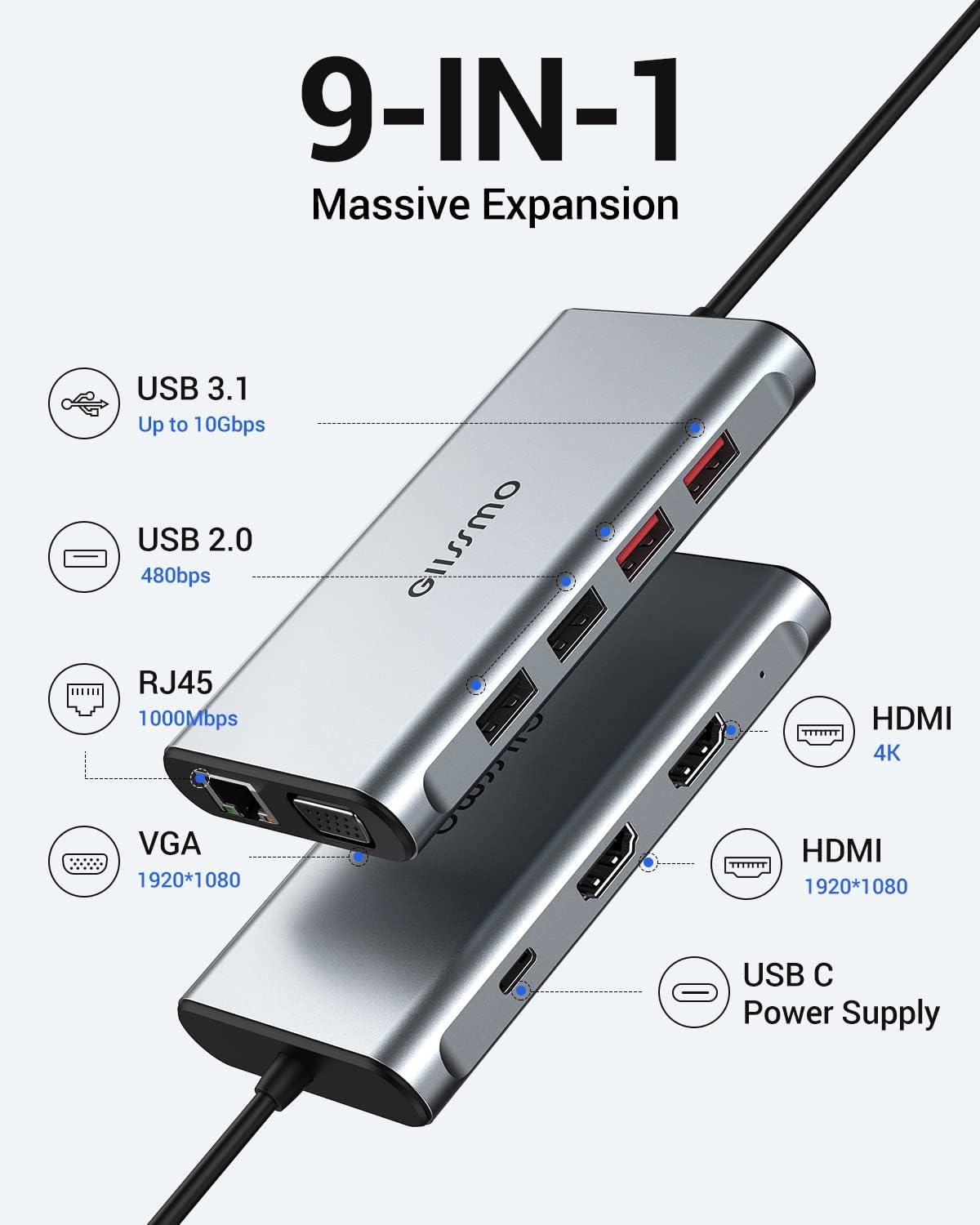
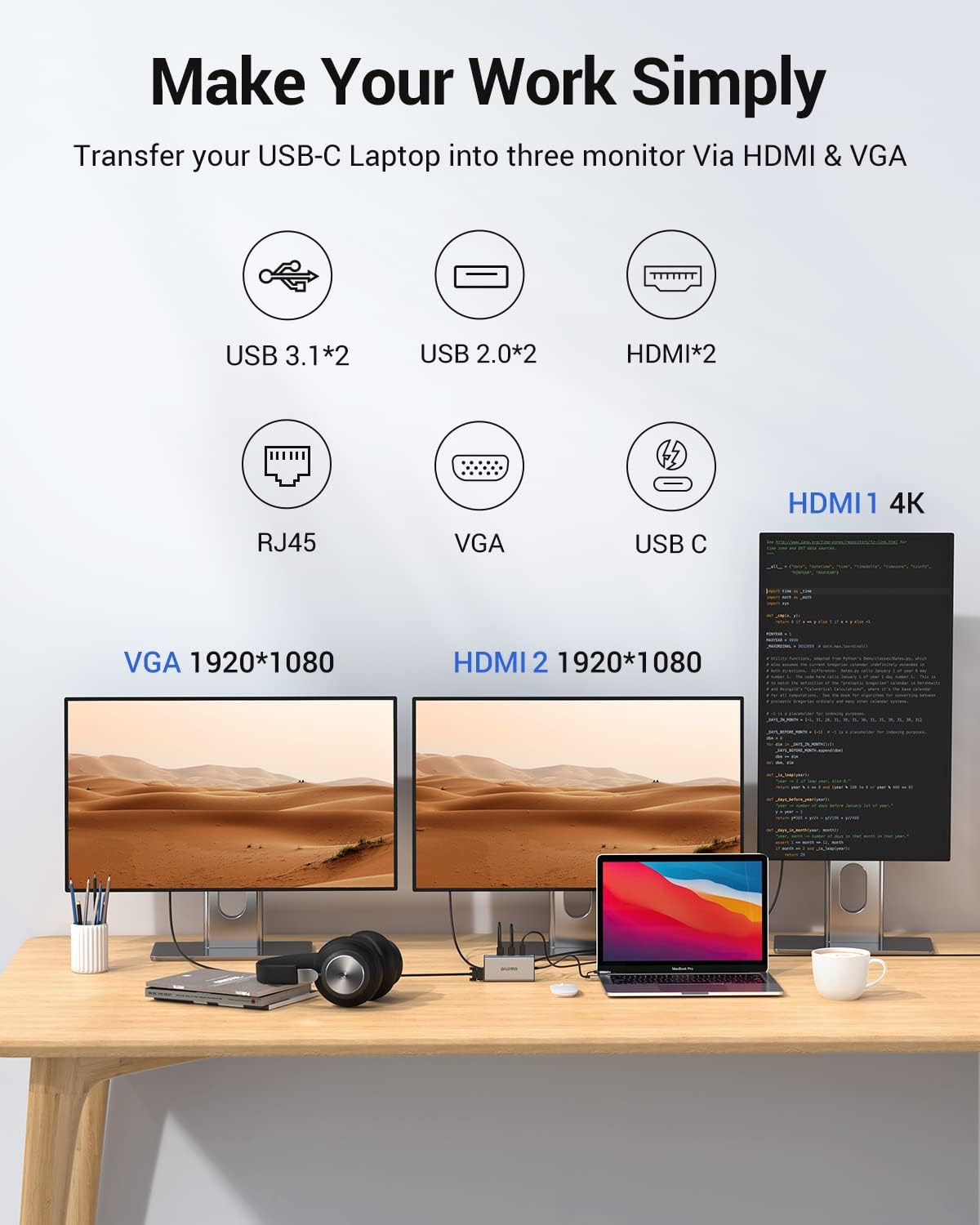
The USB Docking Station maximizes your productivity and your workspace. Great for business mail, web applications, Microsoft office, and more. SiliconMotion for laptops that don’t natively support dual displays(like an M1 Mac), makes it the easy solution for hybrid offices. The Docking Station has one 4K HDMI port, one 1080P HDMI, and one VGA port. Please click Intel Graphics Settings for multi-display setting or hotkey: Windows P Set Display, Resolution, and Refresh Rate on the General Setting. Dynamic Design: Not only does this dock expand your connectivity, it also brings a whole new level of performance and flexibility. The USB 3.0 and USB-C Dual HDMI Display Docking Station are Designed for setting up a hybrid office. The hybrid 2-in-1 cable can connect most USB-A or USB-C laptops, perfect for hotdesking and hoteling environments. The multifunctional USB-C USB-A (2-in-1) docking station is compatible with USB-C/USB-A phones/tablets with OTG functions and USB-C/USB-A computers(macOS/Windows/ Android systems) without requiring DP ALT video functions. The convenient patch cord adapter allows you to switch between 3.0 and C devices at any time without searching in the box. A dual or triple monitor docking station should, above all else, provide support for two or three external monitors. By leveraging Siliconmotion, and adding a cord adapter that works with USB-A laptops and USB-C laptops, the GIISSMO DOCKING STATION adapts to you. This is especially helpful in hot-desking and hotelling environments, or when your computer doesn’t natively support dual displays–like an M1 Mac. Just a heads up, you will need to use a Siliconmotion Driver to get full functionality out of your dock. Featuring 2x HDMI ports, 2x USB 3.1 ports, 2x USB 2.0 ports, a Gigabit Ethernet port for wired network connectivity, a VGA port, a USB-C (for power supply only). the dock is the ultimate docking station for the hybrid office, the home office, or anywhere work gets done. Note: The Drive Docking Station will not charge your laptop and need yourself external power adapter to charge it. It's required to install the driver to use the product. The installation method is as follows. Triple Display USB C Laptop Docking Station Dual Monitor required to install the "Siliconmotion" driver to use. Way 1: (Download the driver from the official website) siliconmotion.com/downloads/index.html Way 2: (Use a compact disk to install the driver) Read the compact disk through an external CD drive( In the box)
Product Overview
We Recommend