




Bluetooth 5.0 Kits Car Music Wireless Adapter 3.5mm Aux Stereo Mic Portable Assistant Receiver Handsfree Player USB for Speaker Headphones Phone Home/Outdoor Audio Streaming Sound System: Electronics
- Category: Bluetooth Car Kits
- Store: Brand: WISE TIGER CREATIVITY IS UNLIMITED
Share on:
Description
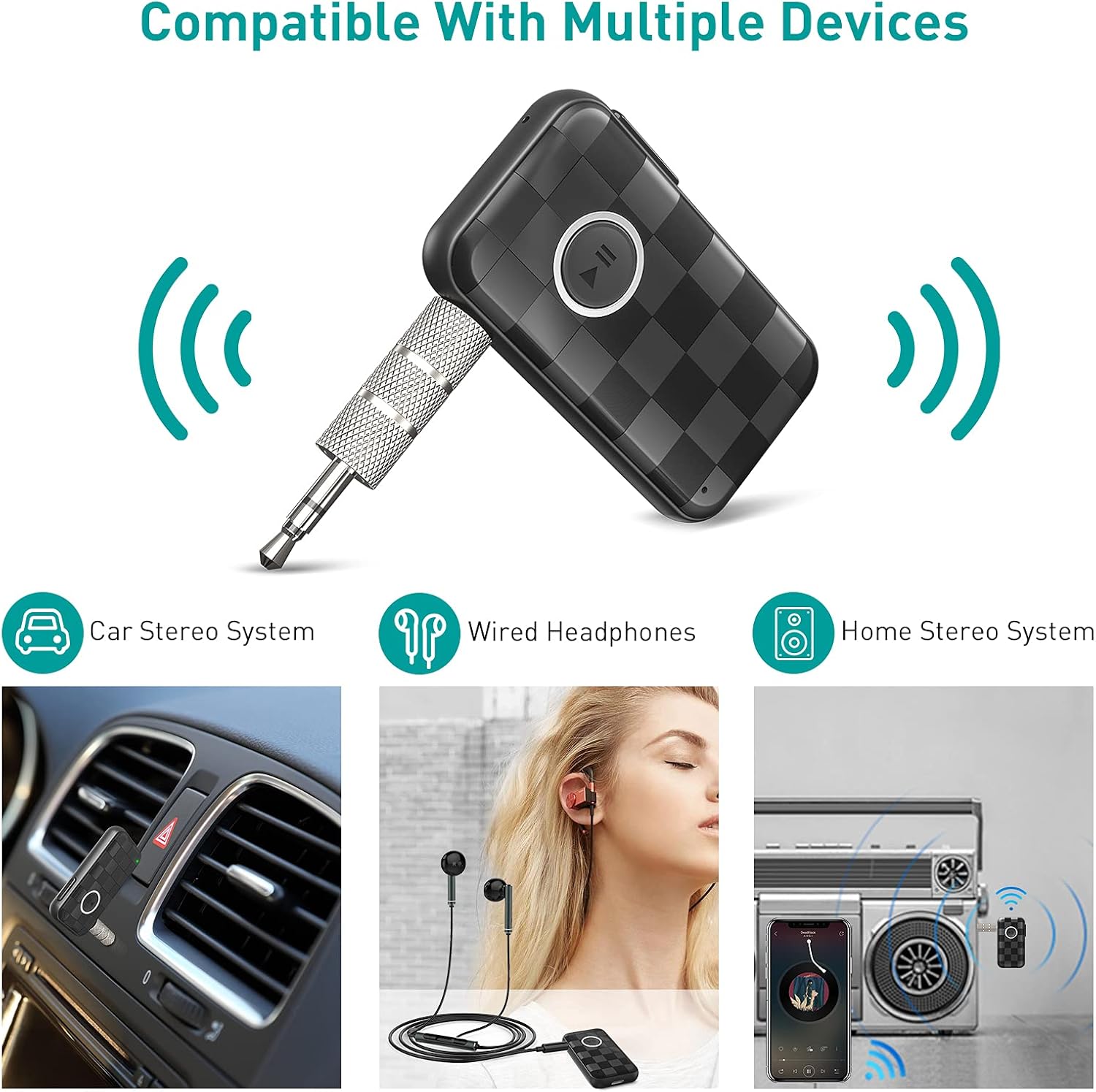
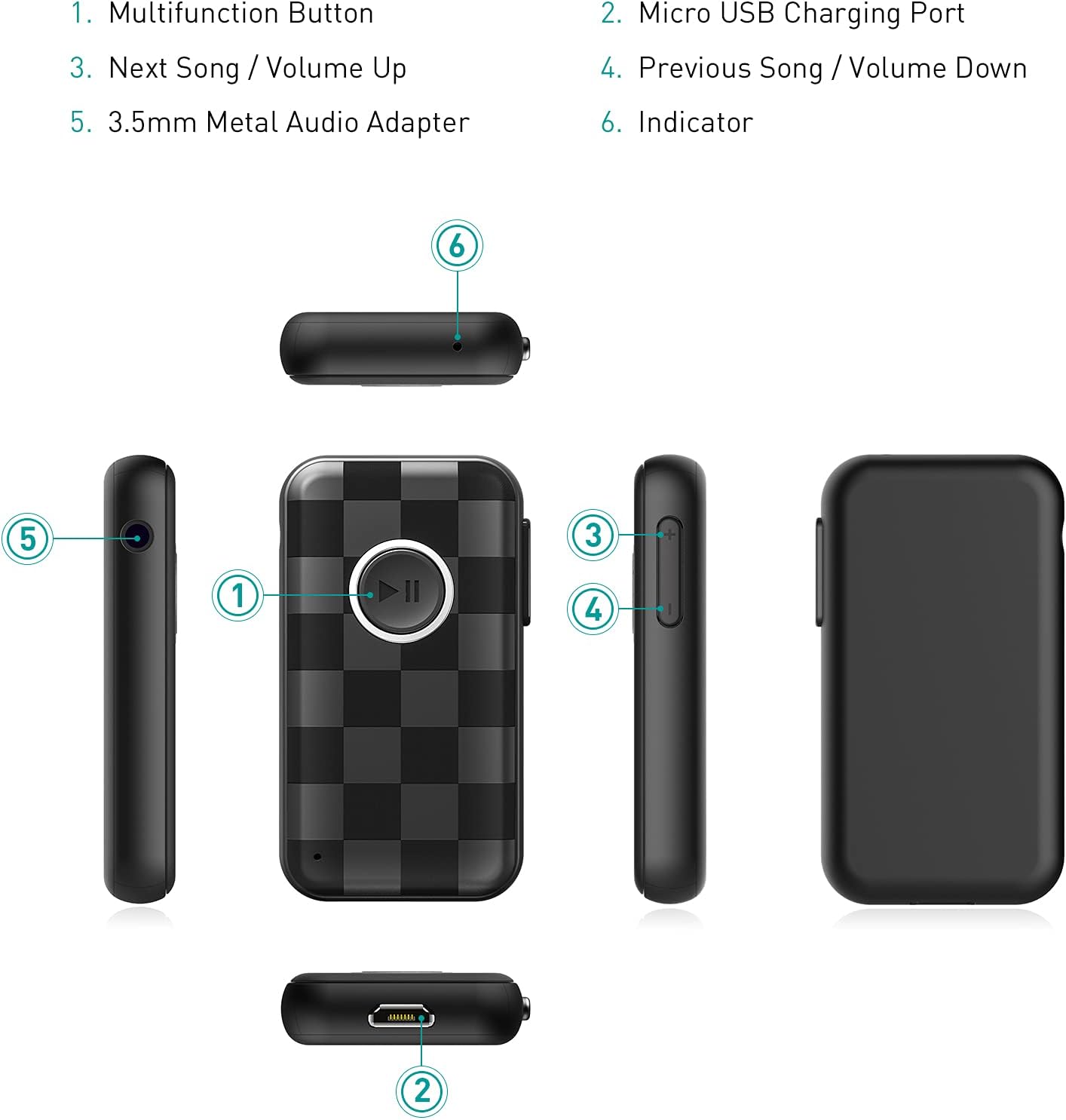
Design for disassembly can easy to be used. Wired headset can change to be wireless headset ,old fashion stereo change to be Bluetooth stereo, with using Bluetooth 5.0 music receiver. It is convenience to carry out to travel. When the alert tone sounds every minutes and the indicator light turns into red, indicating that the battery has run out, needs to charge it as soon as possible. If the battery voltage is lower than 3.0V, the device will automatically shut down. You must charge the receiver fully before using the receiver for the first time 1.Connect the USB charging cable to the USB charge port of the receiver.Do not use charger over 5V to charge product, it may destroy the product. 2.The light indicator will turn into red when charging. 3.The red light indicator goes out when charging is completed. 1.Multifunction Button 2.Micro USB Charging Port 3.Next Song/Volume Up 4.Previous Song/Volume Down 5.3.5mm Metal Audio Adapter 6.Indicator 1.Connect the device to a home amplifier/car stereo /stereo headset with a 3.5 mm audio cable or metal connector: 2.5mm audio cable or metal connector. 3.Pair the receiver with the mobile phone 4.After the connection is successful, you can enjoy the music or hands-free calling of the mobile phone through the amplifier car stereo/stereo headphones Wireless Bluetooth 5.0 Music receiver *1 3.5mm Metal Audio Adapter*1 3.5mm Audio Cable*1 Micro USB Charging Cable*1 Bluetooth modeInstructions for use:1.Connect the device to a home amplifier/car stereo /stereo headset with a 3.5 mm audio cable or metal connector.2.5mm audio cable or metal connector. 3.Pair the receiver with the mobile phone. 4.After the connection is successful, you can enjoy the music or hands-free calling of the mobile phone through the amplifier car stereo/stereo headphones. Pair with your phone: 1.Before using the receiver for the first time,you must pair it with your phone. 2.After booting up, the red and blue lights flash alternately, and the device automatically enters the pairing mode. 3.Turn on the Bluetooth function of the mobile phone, search the Bluetooth device and select the Bluetooth device and select “BT09B” and connect. 4.Enter the code”0000” if needed. 5.If pairing is successful,the indicator light will flash blue slowly. Connection to two smart phones: 1.Pair the Bluetooth receiver to the first phone. 2. After pairing successfully, turn off the Bluetooth function of the first phone. 3. It will enter pairing mode again. 4.Pair the Bluetooth receiver to the second phone. 5.After pairing successfully, turn on the Bluetooth function of the first phone,Two phone will both connect the Bluetooth receiver at the same time. Note: After the connection is successful and the phone is turned on again, the device will automatically connect to the last connected phone.(But make sure the phone’s Bluetooth function is turned on before the device is turned on).
Product Overview
We Recommend


