



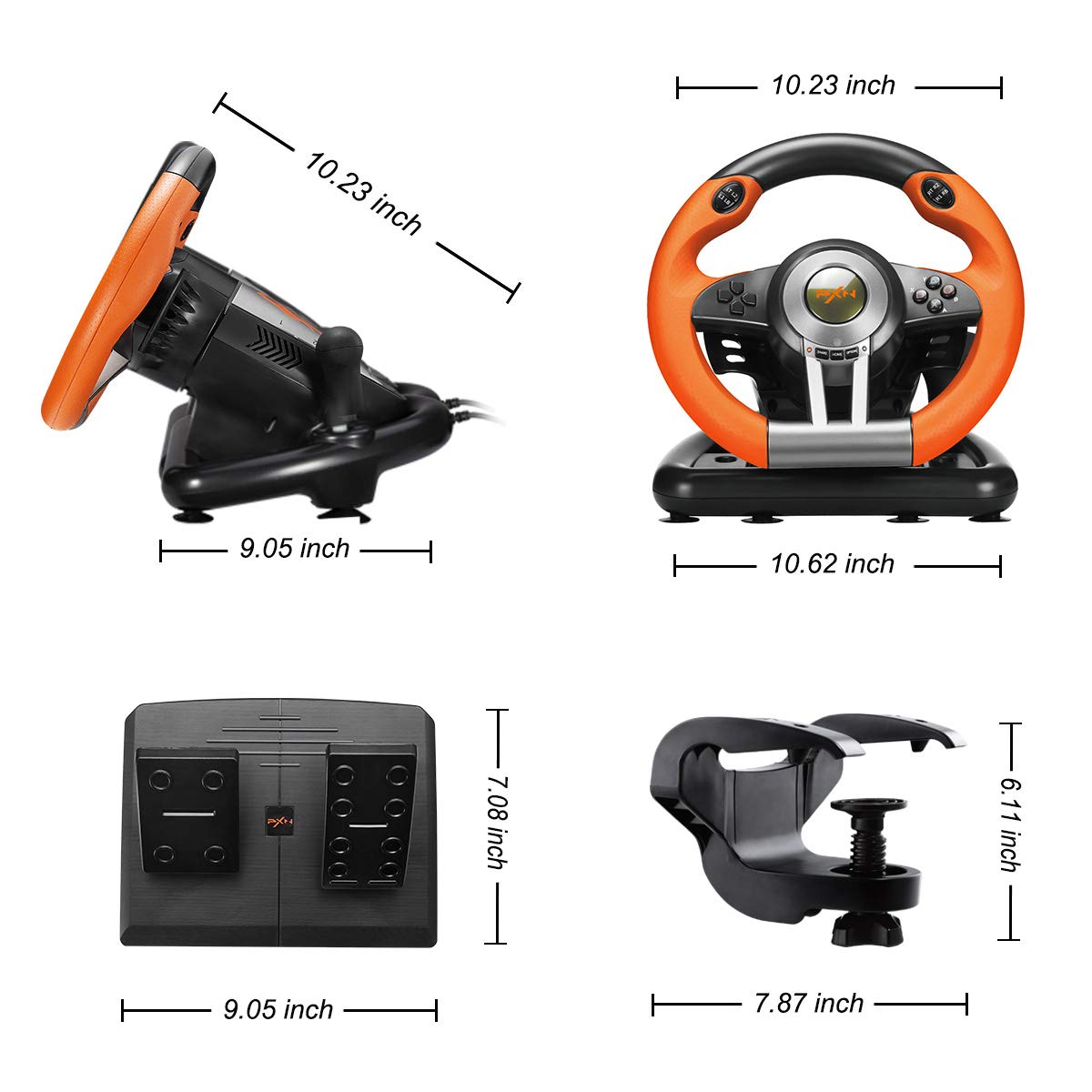

PXN V3III PS4 Gaming Steering Wheel,180° PC Racing Wheel and Dual Motors Vibration,PS4 Racing Wheel with Linear Pedal/Accelerator Brake,for PC/PS4/Xbox One/Xbox Series X|S/Switch(Orange) : Video Games
- Category: Racing Wheels
- Store: PXN
Share on:
Description
Using on PS 4, PS 3 Step 1: Power OFF the original PS 4 controller. Step 2: Use a Micro USB cable to connect PS 4 original controller with guidance port of the steering wheel. Step 3: Plug the USB interface of steering wheel into PS 4. Step 4: Press "HOME" button on steering wheel, red mode displays ON when connected successfully . Note: You need to pair with the original PS 4 wired controller to boot. If it is not the original controller, they will not be able to connect successfully. Using on Xbox One, Xbox Series X|S Step 1: Power OFF the original Xbox One controller. Step 2: Use a Micro USB cable to connect Xbox One original controller with guidance port of the steering wheel. Step 3: Plug the USB interface of steering wheel into Xbox One. Step 4: Press "HOME" button on steering wheel, red mode displays ON when connected successfully. Note: You need to pair with the original Xbox wired controller to boot. If it is not the original controller, they will not be able to connect successfully. Using on Switch Step 1: Please connect the Type-C OTG with the USB interface of the steering wheel.( Note: Type-C OTG Adapter is not included ). Step 2: Then plug the Type-C interface into the Switch console. Step 3: Red mode indicator displays ON when connected successfully. Note: You need to pair with the original Switch wired controller to boot. If it is not the original controller, they will not be able to connect successfully.
Product Overview
We Recommend


