

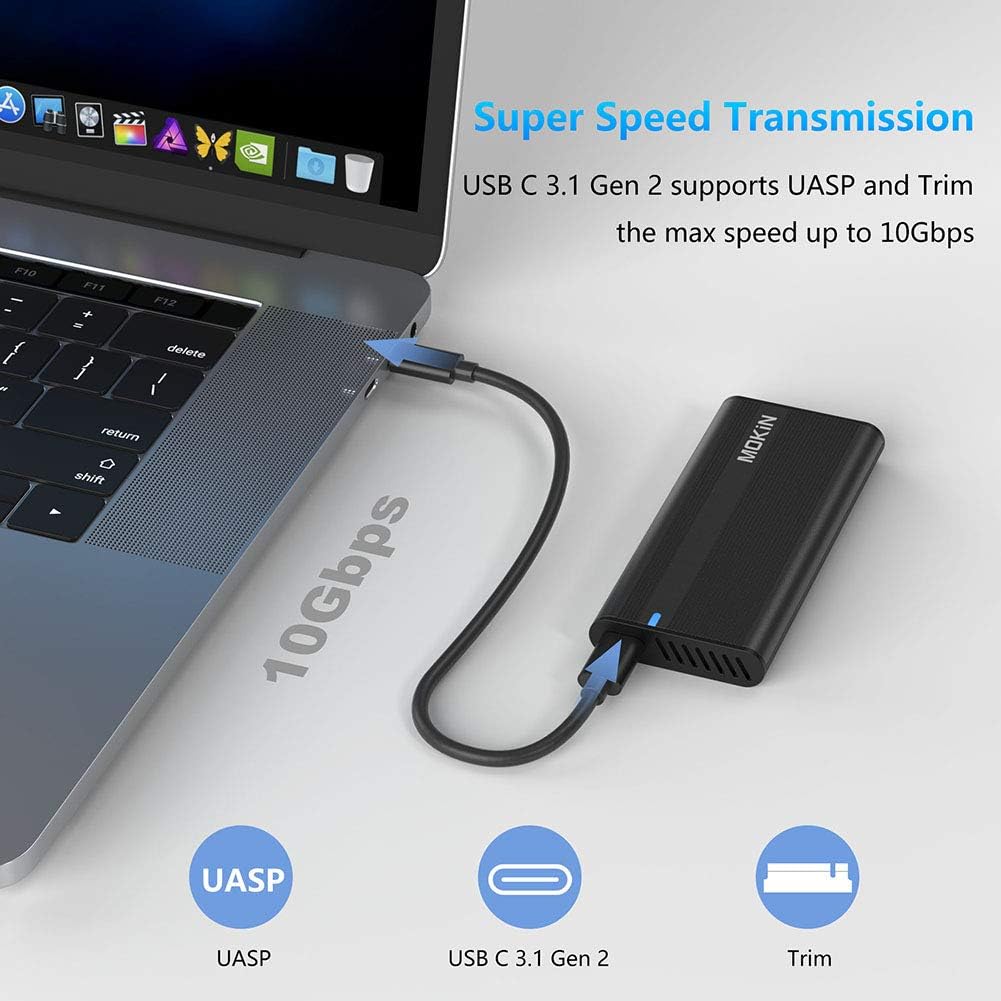

M.2 NVME SSD Enclosure Adapter Tool-Free, USB C 3.1 Gen 2 10Gbps to NVME PCIe M-Key(B+M Key) Thunderbolt 3 Solid State Drive External Enclosure Support UASP Trim for SSD Size 2242/2260/2280: Computers & Accessories
- Category: Hard Drive Enclosures
- Store: MOKiN
Share on:
Description
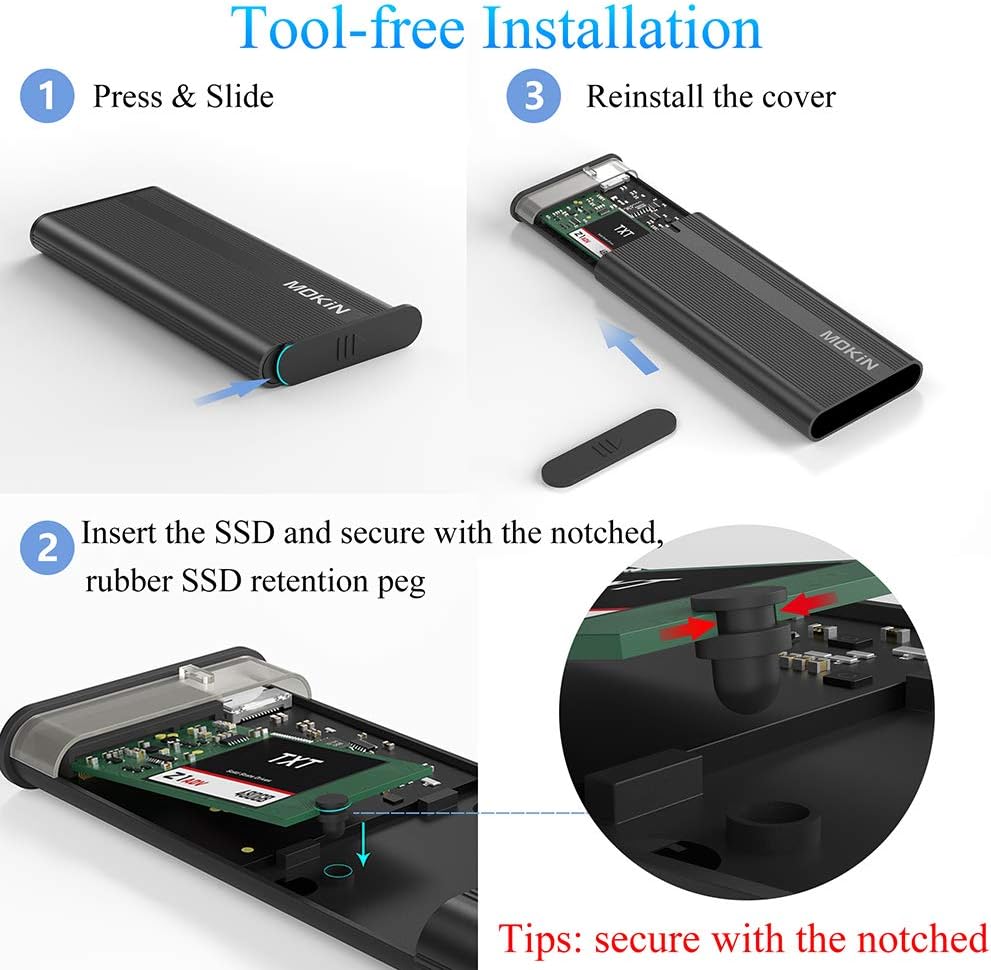
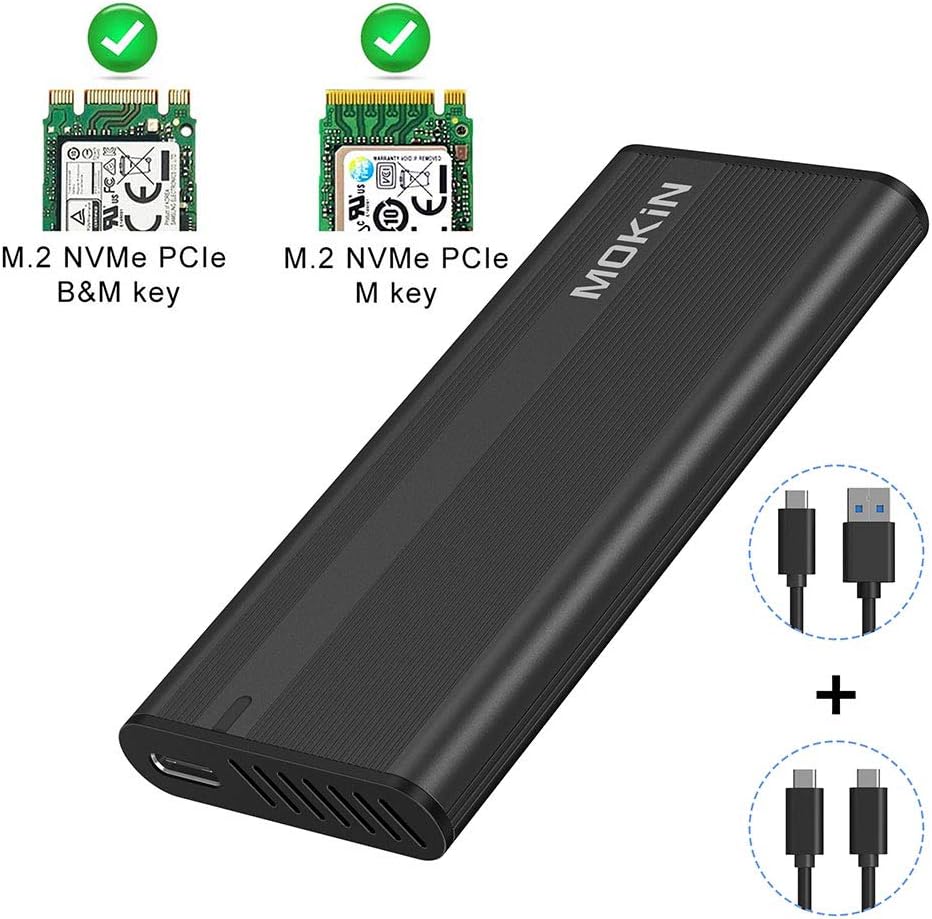
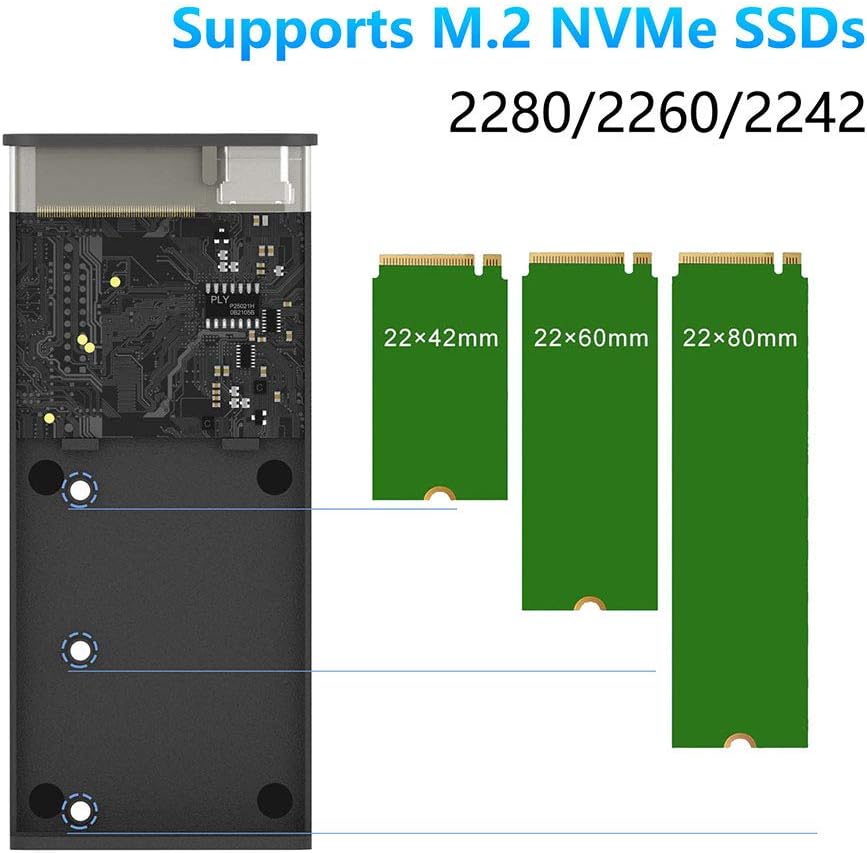
Compatible with M.2 NVMe PCIe M key,PCIe B&M key SSD. Note: NVMe SSD is not included. NOT Compatible with M.2 SATA SSDs, M.2 PCIe AHCI SSDs, M.2 PCIe devices such as WiFi and capture cards, mSATA SSDs, and non-M.2 form factor SSDs. Applicable to sizes 2242 / 2260 / 2280 solid state drivers. How to Install? Press and slide the aluminum cover , then insert the SSD and secure with the notched, rubber SSD retention peg, then reinstall the cover. Warm Note - If you computer can't recognize the SSD enclosure. Please Following Steps For new SSD, You need to go into the disk management and initialize the SSD firstly, then it could be detected and used normally. Please finish disk initialization according to the following steps. How to start disk management? Right click "Computer" - "Manage" - "Disk Management". Find your unallocated disk, right click "Unallocated", and choose "New Simple Volume Wizard". How to start disk management (in windows 10)? Click Start -> Run -> type compmgmt.msc -> click OK. Alternatively, right-click on the My Computer icon and select 'Manage'. In the console tree, click Disk Management. Sharing a customer review regarding how to install: " It comes with two notched rubber pegs to secure the NVME drive. You only need one, and you need to move it to the correct position for the size of your SSD. By default the pins are in the position for shorter drives. You need to remove both pegs, set one of them aside, and put the other in the semi-circular cutout on the SSD. When you insert the SSD, the peg will line up nicely with one of the holes in the tray. " Compatible with: For Samsung : 970 EVO Plus/970 EVO/ 970 Pro /960 EVO/950 PRO; Crucial P1; WD SN750/SN550; Intel 760P; ADATA XPG SX8000; Kingston A1000; Seagate BarraCuda 510 / FireCuda 510 etc. Intel Optane 800P; Toshiba RC100; Pioneer APS-SE10G-512 ect; If your ssd not included in the list,please let us know, we are very gladly to help you check if the enclosure can work with your ssd.
Product Overview
We Recommend
![ORICO Toolfree USB 3.0 to SATA External 3.5 Hard Drive Enclosure Case for 3.5 SATA HDD and SSD[Support UASP and 16TB Drives]: Computers & Accessories](https://images-na.ssl-images-amazon.com/images/I/61pCmLyZ8iL._AC_SL1200_.jpg)
![ORICO USB3.0 to SATA III 2.5" External Hard Drive Enclosure for 7mm and 9.5mm 2.5 Inch SATA HDD/SSD Tool Free [UASP Supported] Black(2189U3): Computers & Accessories](https://images-na.ssl-images-amazon.com/images/I/61%2BJpI9yePL._AC_SL1500_.jpg)

![Sabrent 2.5-Inch SATA to USB 3.0 Tool-Free External Hard Drive Enclosure [Optimized for SSD, Support UASP SATA III] Black (EC-UASP): Computers & Accessories](https://images-na.ssl-images-amazon.com/images/I/71J0iPYw2YL._AC_SL1500_.jpg)