USB C Docking Station Dual Monitor, 12-in-1 Triple Display USB C Adapter for Windows with Dual 4K HDMI, VGA, Gigabit Ethernet, 2 USB 3.0, 2 USB 2.0, 87W PD, SD/TF Card Reader, AUX, for Type-C Laptops : Electronics
- Category: Docking Stations
- Store: LIONWEI
Share on:
Description
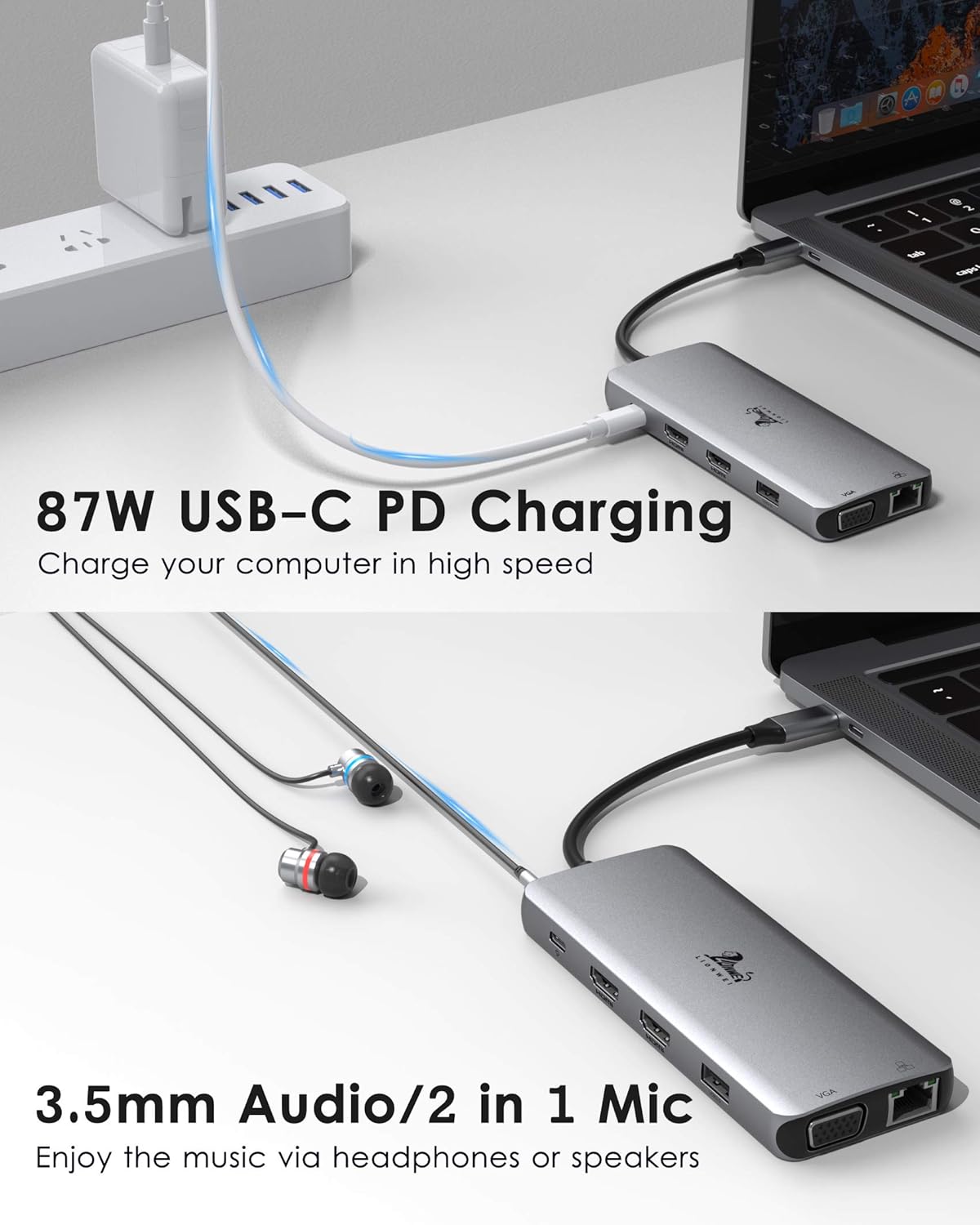
COMPATIBILITY:(Not a full list) Laptop with a fully function(support charging, data transfer and video output) USB-C port or Thunderbolt 3 port. Or please confirm with us. For Apple: MacBook/ MacBook Pro (2020/2019/2018/2017/2016); Macbook Air 2018-2020, Mac mini 2018-2020; iPad Pro 2018; iMac 27 2019 Extended HDMI Monitor For Surface: Microsoft Surface Book 2/ Surface Go/ Surface Laptop 3; Surface Pro 7 For Dell: Dell XPS 9380/ XPS 13 9365/ XPS 15 2018/ XPS 13 9300/ New XPS 15 with i7 dedicated video card 64GB of ram and 2TB SSD; Latitute 7280/ Latitude 5310 2-in-1; Precision 7730/ Precision 7750; Laptop 5590 For Lenovo: Lenovo Yoga 720-13IKB/ Yoga 730/ Yoga 900-13ISK/ Yoga 910/ Yoga 920/ Yoga 930/ Yoga 940-14IIL; 3rd generation Thinkpad Yoga; Yoga15 Thinkpad Ultrabook Pro; Thinkpad E590/ Thinkpad P72/ Thinkpad T470/ Thinkpad X1 Carbon (2019 model); Flex 14 IML (81XG)/ Flex 5; Legion Y530; Lenovo C930/ T480s/ X390/ 81N8 For HP: HP Spectre Laptop 13-af001TU/ Spectre x360 13t/ Spectre folio (13t-ak000cto)/ Spectre 360 laptop/ Specter x369; Elitebook 840 G5 series/ Elitebook X2/ Elitebook x360 1030 G3/ Elitebook 745 G6/ Elitebook 830 G6/ 2018 HP Elite 800 G4; Envy Geforce mx250/ Envy x360 Laptop (15z-ds100); Z book 15u G3/ Zbook 17 G4 For ASUS: 13'' ASUS Zenbook UX330UA/ Zenbook Flip ux370u; ASUS TUF Gaming A15 Gaming Laptop For Samsung: Samsung Galaxy S10+/S10/S9+ /S9 /S8+ /S8 Plus; Note 10 / 9 / 8; Galaxy Book Flex Alpha 2-in-1 13.3" QLED Touch-Screen Laptop; Galaxy Tab S5e/ Galaxy Tab S4; Galaxy S20 Ultra For Xiaomi: MI Air 12.5/13.3,Pro 15.6 For Huawei: Huawei Macbook Mate10/ Mate10 pro/ Mate20/ Mate20 pro / Mate30/ Mate30Pro For MSI: GT76 Titan; B450M Mortar motherboard For Acer: Acer Aspire 5 2019; D17w3 Aspire c24-865 For OTHER: Google Slate (2019); Chromebook C340-15; SanDisk Cruise Glide; Razer Blade 2017 (gtx 1060); Pixel book go 2019/2020 Incompatible devices: Samsung Galaxy A20 / A20E / A50 / A70 / A80 / S6 / S7 / J6 / J7 / M20 / M30; Samsung Galaxy Tab A / 10.1 / 10.5 / S3; Oneplus 2/3/3T/5T/6T; All Motorola's phone; GoPro; Amazon Fire Tablet; Surface Dock 2; LG Google Nexus 5X/6P, LG Stylist/LG G6,LG V30, LG k10/k20. MacBook Air 7.2, Macbook pro 2020(M1), macbook air 2020(M1), Mac mini 2020(M1) Acer Aspire A717-72G,Acer Aspire A515-44-R1DM, Acer Aspire a515-54 model HP14s-be102TX, HP Probook 650 G2, HP Probook 455 G4, HP Pavilion-14 bf116tx, HP 14-ce1004TX 14, HP Elitebook 820 G3, HP Pavilion 15 ck009, HP EliteBook 745 G4, HP Pavilion Power Laptop 15-cb, HP Probook 430 G5, HP EliteBook 828 G4, HP Pavilion 15-cs3000, HP Pavillion Laptop Model 15-cs1014-ng, HP probook g3, HP bs049dx Predator Helios 300 PH315-52-754M, Microsoft Surface Pro 6, Huawei MediaPad M5 Lite If your laptop not included in the list, you can refer to your laptop's manual to figure out which your usb c type is. Or please let us know, we will help you to confirm if the adapter compatible with your device. FAQ: 1. Dose this compatible with my laptop? There are four types of type C ports: 1) Data transfer only; 2) Data transfer and external display; 3) Data transfer and PD charging; 4) Data transfer, external display and PD charging. 2.How do I know which type my device's TYPE C port belongs to? Only USB Type C 3.1 Gen 2/ Type C 3.2 Gen 2 with Power Delivery & DisplayPort, Thunderbolt 3 with Power Delivery & DisplayPort. You can refer to your laptop's manual to figure out which your usb c type is. 3.When I connect to macbook, I can’t extend the display of my desktop, why? If you select non-mirror(extended mode) for OS systems laptop (Apple Laptop), it can only supports 3 duplicate (mirror) external monitors, but your laptop screen can be different image from 3 external monitors due to apple system restrictions. 4.Why do I have no display when the dock station is connected? a. Make sure the type c power delivery port on you laptop is USB 3.1 Type-C (Gen2) or Thunderbolt 3 port (supports PD charging). That means the native type c port of laptop need to support video signal output. b. Check your HDMI cable. c. Ensure sufficient power supply from the USB C hub. 5.Why is my laptop screen black when I extend 3 monitors on my windows system laptop? For Intel Graphics Card, it only supports 3 screens display, thus one of four screens (including laptop screen) will not be displayed. For AMD Graphics Card, all of four screens will be displayed. 6.Why does one of monitor resolution become lower than 1920 x 1080@60Hz, when I extend 3 monitors from my windows laptop? In normal, when you connect 3 monitors, all of three monitor will output 1080P resolution. However, it may happen that one of the monitor screen resolution is lower than 1920 x 1080@60Hz (depending on the monitor and bandwidth). 7.When I plug in VGA port, why does the resolution become 1920 x 1080@60Hz? Please do not worry. This usb c hub supports 4K@30Hz HDMI OUTPUT (depends on your HDMI cable and monitors). If you connect VGA, the resolution of all monitors will be limited to 1920 x 1080@60Hz (maximum). 8.When I plug in or plug out on this docking station, hdmi or VGA monitors go black for 2–4 seconds and then recover? Is this normal? Please do not worry and be patient waiting for it. It is a process of EDID (Extended Display Identification Data) communication, which may blackout screen for a few seconds. The recovery time depends on laptop and monitor (1 minute at max). 9.How many watts do the charging port support? This usb is USB-C PD 3.0 compliant which supports 100W power in (maximum power); Power out (charging) is recommended to 87W for safety. 10.Does this usb c hub support two 4k monitors at the same time? Yes, it can. Please make sure your laptop, hdmi cable and monitors support 4K.
Product Overview
We Recommend