


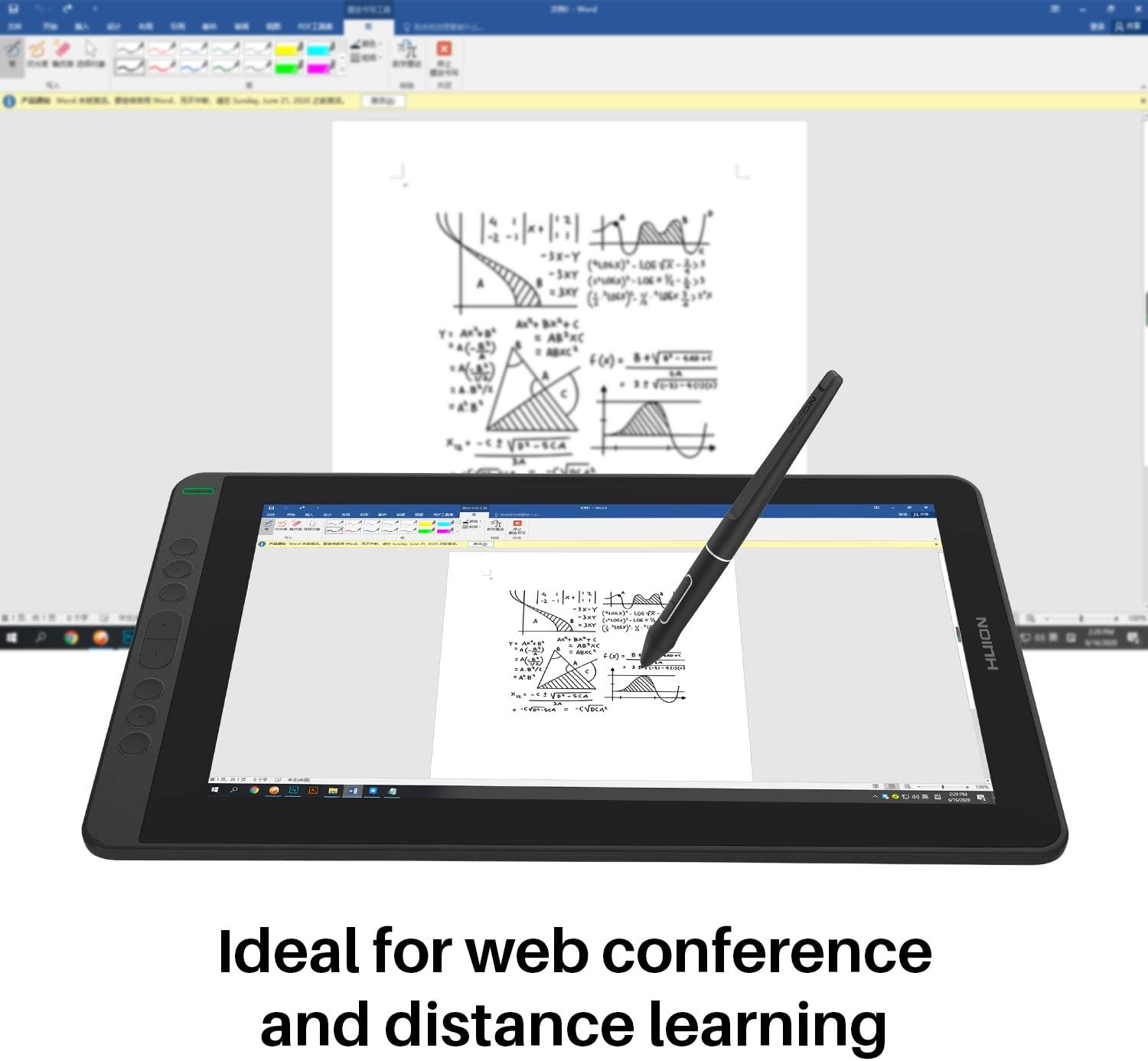
HUION KAMVAS 13 Graphics Drawing Tablet with Full-Laminated Screen Battery-Free Sylus PW517 Tilt 8 Press Keys, 13.3inch Pen Display for Android, Mac and Windows PC, Black : Electronics
- Category: Graphics Tablets
- Store: HUION
Share on:
Description
Important Notices: 1. Kindly note that Kamvas 13 is NOT a standalone product. It needs to be connected to a computer/laptop to work. 2. Connection Tips: Your computer needs to have HDMI and USB ports available for the connection, if not, you need an adapter to convert for the connection. Please be assured the USB cable & HDMI cable securely plug into your computer. It is only coming with a US power adapter (suit for 110V-240V). If you need EU or other power adapters, please ask us for further information. After connecting all the cables correctly, please wait about 30s-1min to wait the USB Hardware driver loaded successfully. 3. Driver Installation Tips: Huion driver will be regularly updated, so please go to Huion official web to download the newest driver, and install it on your computer. Before installation, please uninstall Other Brand’s Driver and reboot your computer. And please close all drawing program when installing the driver. For Mac Mojave (10.14) Users, please Add the “TabletDriverAgent” into the whitelist first after installing the driver on your computer. Please be sure that Huion driver is compatible with the newest Mac OS 10.15 Catalina. 4. Indication to Avoid Offset: Please set the optimal resolution: 1920*1080 Please set the display size to 100%: Click the right mouse button -> Screen Resolution -> Display -> 100% -> Apply. 5. List of Compatible Android Devices: Samsung Galaxy Note 8/9/10/10+/10+5G/20/20 Ultra 5G, Samsung Galaxy S8/8+/9/9+/10/10+/10e/20 5G/20+ 5G/20 Ultra 5G/21 5G/21+ 5G/21 Ultra 5G, Samsung Galaxy Z Fold/Fold 2, Samsung Galaxy A90 5G, Samsung Tab S4/S5e/S6/S7/S7+, Huawei P20/P30, Huaweri Mate Serials 6. Huion Tech Support If you have any problems, please check the Quick Guide and search Huion online to find a way for further assistance, we are always ready to help you! Anti-glare Screen Protector makes your drawing more accurate and natural.The screen surface is covered with Anti-glare Screen Protector, effectively reducing the "glare" effect and better protecting your eyes. Upgraded PW 517 Pen Tech 3.0 Newest Version Feel like Paper Writing with Accuracy PW517 Updated from PW507 More accuracy just like you're using a real pen. Offered battery-free EMR technology. 8192 Pen Pressure, ±60 Levels Tilt Recognition provide a more accurate and natural drawing experience and almost without offset. Richer Color Gamut 16.7 Million display colors & 120% sRGB color gamut This device not only provides users with a wider field of view which is 178°viewing angle, offering richer colors and more natural transition. Huion KAMVAS 13 Pen Display PW517 3-in-1 Cable Pen Holder PH05 Pen Nib Clip Pen Nibs x 10 Glove Cleaning Cloth Quick Start Guide
Product Overview
We Recommend



![[4 Bonus Items] Simbans PicassoTab 10 Inch Drawing Tablet and Stylus Pen, 2GB, 32GB, Android 9 Pie, Best Gift for Beginner Graphic Artist Boy, Girl, HDMI, USB, GPS, Bluetooth, WiFi - P92: Computers & Accessories](https://images-na.ssl-images-amazon.com/images/I/913q1toVsTL._AC_SL1500_.jpg)