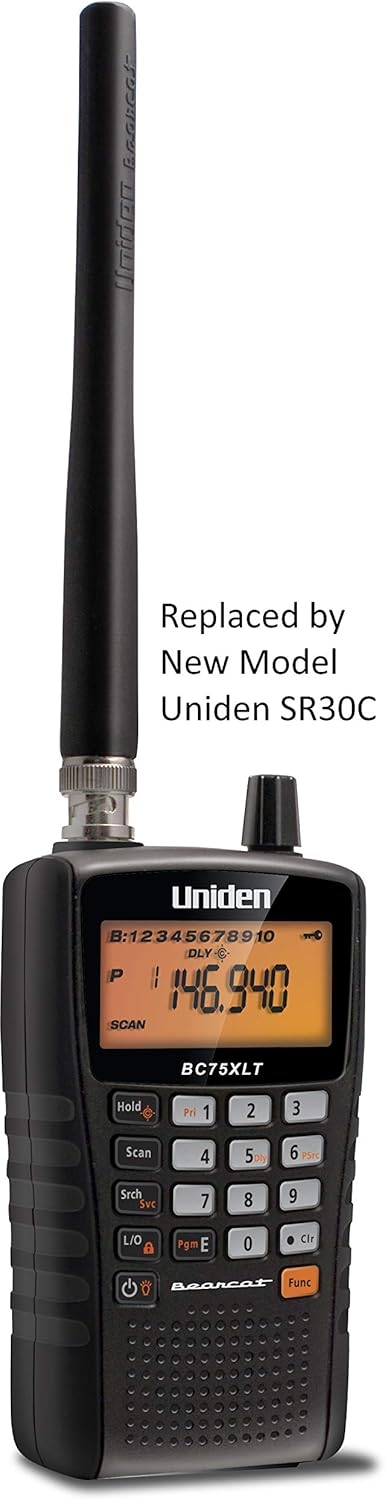




Uniden BC75XLT, 300-Channel Handheld Scanner, Emergency, Marine, Auto Racing, CB Radio, NOAA Weather, and More. Compact Design. (New replacement model, Replaced by Uniden SR30C Bearcat): Electronics
- Category: Radio Scanners
- Store: Uniden
Share on:
Description
The Uniden BC75XLT is a compact handheld scanner that is ideal for listening to events as they unfold. During severe weather or other disasters, listen to reports going directly to emergency agencies as it happens. The BC75XLT covers the bands used by Amature Radio Operators for Emergency reporting including NOAA weather broadcasts, as well as frequencies used at other events such as auto races, local events, and more. You can program up to 300 channels into the scanner's memory, 30 channels in each of 10 banks. Then, you can scan for transmissions on the stored channels. Close Call automatically detects and tunes to nearby transmissions, even if the frequency isn't programmed into a channel. Easily search for frequencies typically used by Police, Fire/Emergency, Marine, Racing, Civil Air, Ham Radio, Railroad, CB Radio, Weather, and more. You can use the BC75XLT to monitor police and fire departments (including rescue and paramedics), NOAA weather transmissions, business/industrial radio, utilities, marine and amateur (ham radio) bands, and air band transmissions. Of course, scanning the 32,000 available frequencies can be time-consuming and frustrating, which is why Uniden added such functions as Close Call capture technology, which instantly tunes to signals from nearby transmitters to help you detect and identify local signals, and a comprehensive memory that holds up to 300 programmed channels. Receives conventional channels on the following frequencies: (25-54 MHz) (108 - 174 MHz) (406 - 512 MHz) To program the unit: Push Hold. This should bring up the first available channel, it should show B:1 Channel 1 and 000.000. To program your frequency in you will push in the Orange Function key and then let go. Immediately push in the E button and let go. You will then see a black box with PGM in it in the top right corner of screen, this means you are in program mode. Type in your frequency including the decimal point, when finished push in the E key and let go. This will enter in the frequency. To enter in another frequency turn the knob at the top right one click to the right and this will bring you to the next available channel. Follow step 5 and on. When finished entering in all of your frequencies you may hit scan. The scanner will now begin scanning your frequencies. This product contains chemicals known to the State of California to cause cancer and birth defects or other reproductive harm.3" / 8 cm
Product Overview
We Recommend