

WENSUIJIA Rechargeable Veterinary Stackable Syringe Pump, Portable Single Channel Pump Machine with KVO, Alarm and Calibration : Industrial & Scientific
- Category: Vacuum Pumps
- Store: WENSUIJIA
Share on:
Description
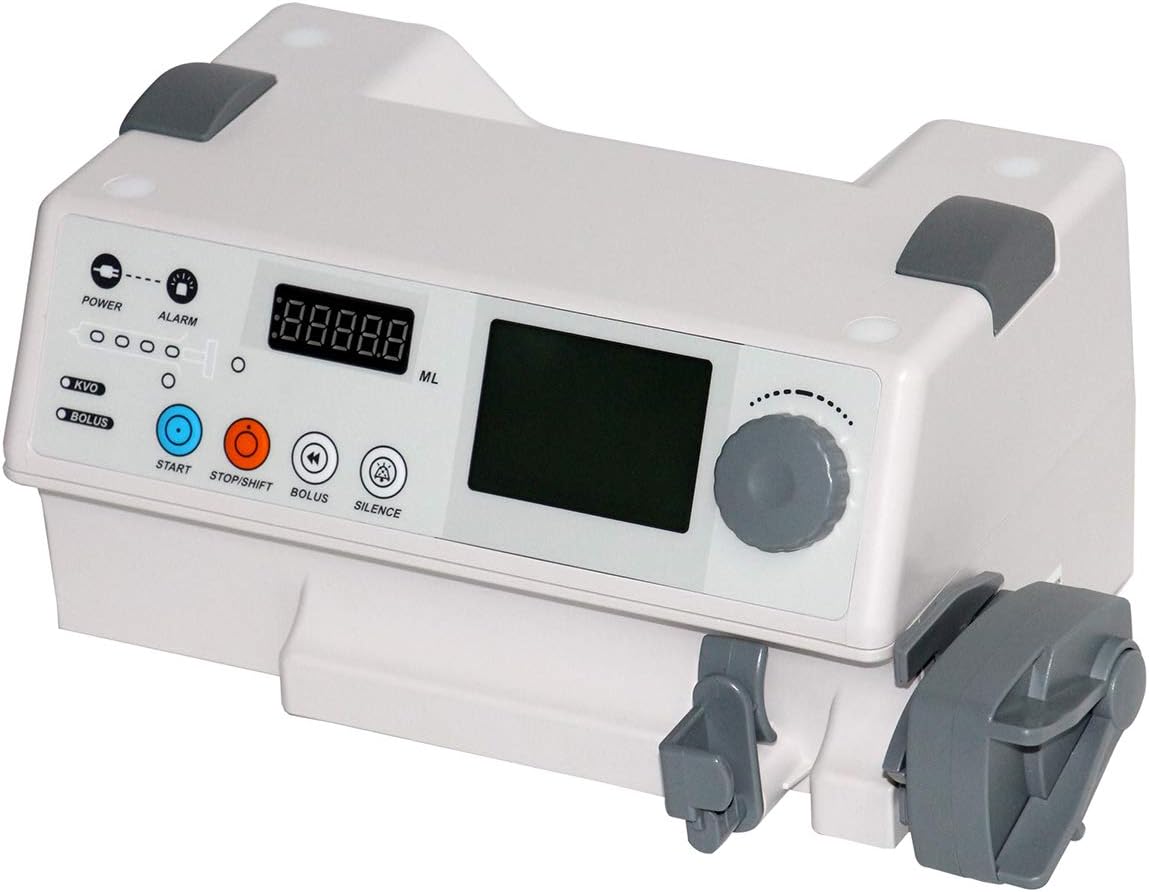
Infusion Rate: 50/60ml Syringe: 0.1ml/h~1500ml/h (0.1ml/h step) 30ml Syringe: 0.1ml/h~900.0ml/h (0.1ml/h step) 20ml Syringe: 0.1ml/h~600.0ml/h (0.1ml/h step) 10ml Syringe: 0.1ml/h~300.0ml/h (0.1ml/h step) Bolus Volume: 50/60ml Syringe: 0.1ml~10ml (0.1ml step) 30 ml Syringe: 0.1ml~10ml (0.1ml step) 20 ml Syringe: 0.1ml~10ml (0.1ml step) 10 ml Syringe: 0.1ml~5ml (0.1ml step) Press the "stop" key and rotary knob simultaneously; the detailed parameter shows on the left LCD as follows. Volume, Occl, Syring, mode, bolus set, time Through rotating the rotary knob to choose the parameter that you want to set. Rotate the rotary knob and press the knob to confirm entering the "Volume" parameter; it allows you to adjust the volume level. Once the volume is set, press the knob button to confirm, it will automatically back. You can set other parameters in the same way. Occl: High, Medium Low Syringe: Class A, Class B, and Class C Mode: there are three different modes: simple,vol/T, vol/W Rotate the rotary knob and press the knob to confirm entering the "Bolus Set." You are allowed to set the speed and volume of different syringes here. You are allowed to set the speed and volume of different syringes here. Once you confirm everything is done, rotate the rotary knob and press the "ok " to back the main interface. Rotate the rotary knob and press the knob to confirm entering the "Limit," for instance, set the limit parameter to "5," After all the settings are completed, press the "start" button to start working Double click the " Bolus" button to enter Bolus running data, it will automatically back to main interface in several seconds. The alarm sounds automatically When the pump injection is completed, the alarm bell will automatically ring to remind
Product Overview
We Recommend