

CZUR Shine Ultra Smart Document Scanner, Book Scanner with OCR Auto-Flatten & Deskew, Capture Size A3, Compatible with Windows & Mac OS : Electronics
- Category: Document Scanners
- Store: CZUR
Share on:
Description
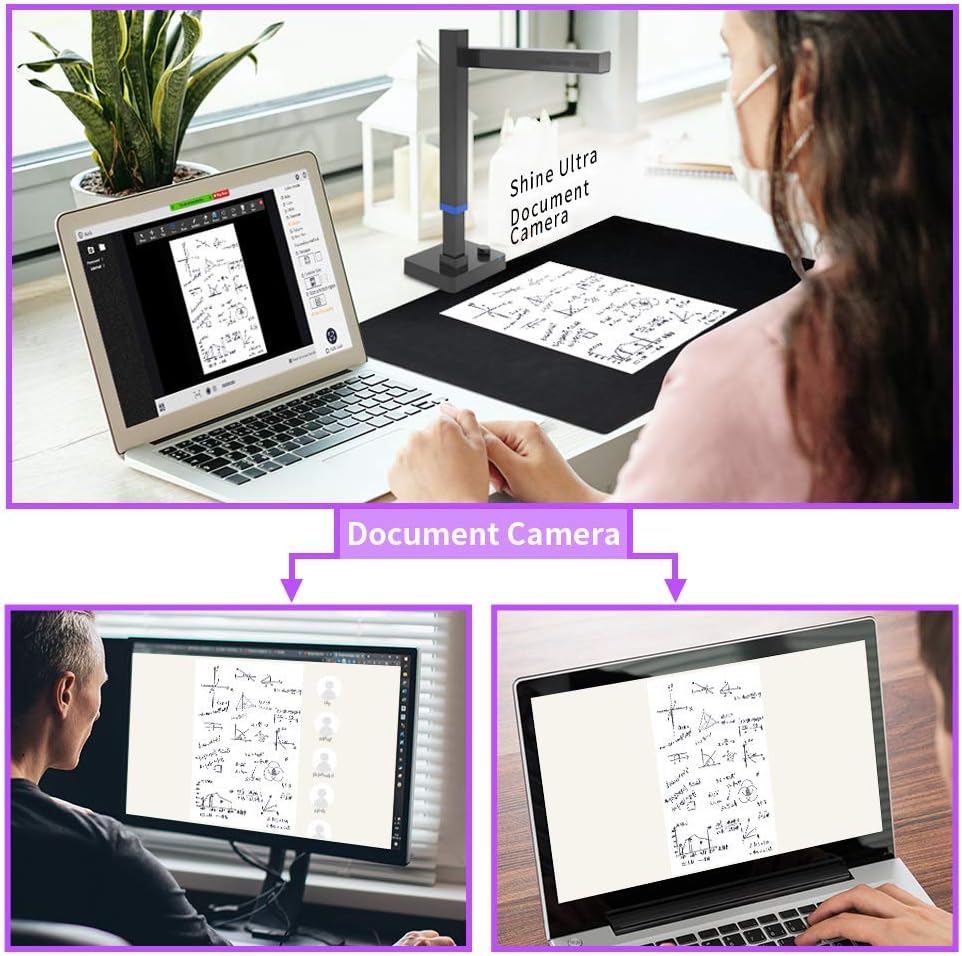
With OCR (Optical Character Recognition) functionality, Shine Ultra enables you to transfer scanned pages into editable files including searchable PDFs, JPG, Word, and others, which elevates scanning possibilities to a whole new level. With over 186 languages supported, this powerful scanner gets it all done! Bring an entire library with you everywhere you go! Compatible with Zoom,enables a user to instantly share screen. Allows you to annotate, highlight, scroll or click on the screen, enabling you to demonstrate the items on display. Widely used by individuals, students and working professionals for online teaching&meeting. Screen sharing solutions is a way to stay connected. Handy tools like Snapshot, Video Recording, and many more can be supported. 1. Open CZUR software → Click “Scan”. Make sure your device can run normally as you could see the screen with things that you are going to share or view. 2. Open Zoom and Joined or started a meeting. 3. Selecting Integrated Camera instead of CZUR’s Camera on Start Video module. 4. Click “Share Screen” on Zoom and select “CZUR Shine” screen for sharing. Zoom’s annotation tools allow you to type text and make draws, shapes and lines, and stamp or spotlight. Drag the sharing material by your mouse if you want to move it. Also use mouse wheel to zoom in. CZUR Shine Ultra a revolutionary book scanner that covers all your scanning needs! Both work as a document camera for online teaching&meeting.Featuring our patented "curve-flatten technology", auto-focus, auto page-turning detecting,it scan books even faster, with an incredible of 1 second per page, so scanning an entire book will only take you minutes. Along with a lot more features, this is your perfect scanning companion.
Product Overview
We Recommend