![J-Tech Digital 3x1 HDMI 2.0 Switch HDMI Switch 4K@60Hz, HDCP 2.2, HDR, YUV 4:4:4 with Remote Control auto-Switching Function on/Off Control4 Driver Available (3 in 1 Out) [JTECH-18GSW3]: Home Audio & Theater](https://images-na.ssl-images-amazon.com/images/I/61kPfQ2zkqL._AC_SL1500_.jpg)


avedio links 4K HDMI Audio Extractor, HDMI to HDMI + Optical Toslink SPDIF + 3.5mm AUX Stereo Audio Out, HDMI Audio Converter Adapter Splitter Support 4K@60Hz HDCP1.4 Full HD 1080P 3D: Electronics
- Category: Selector Switch Boxes
- Store: Brand: avedio links
Share on:
Description
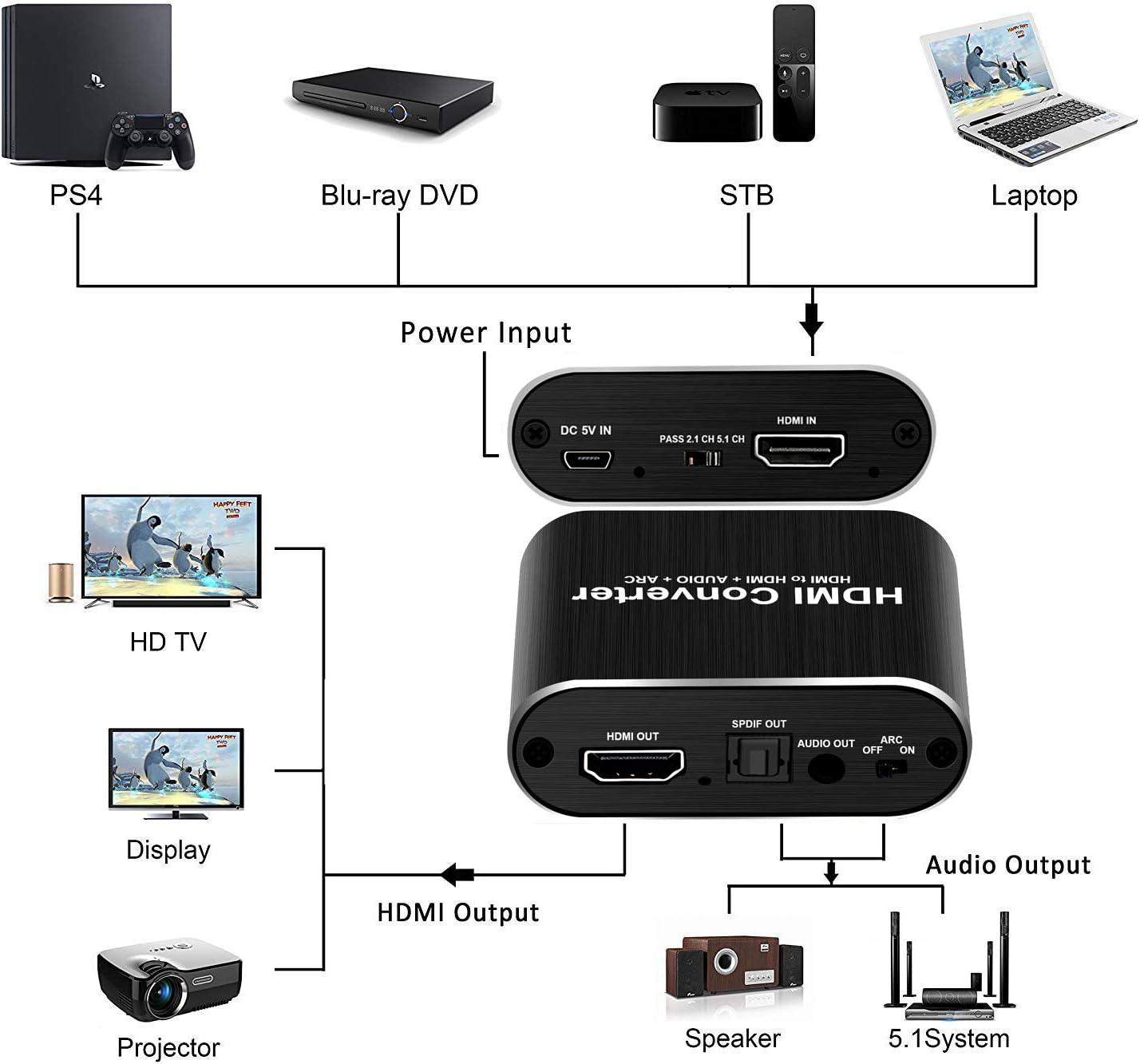
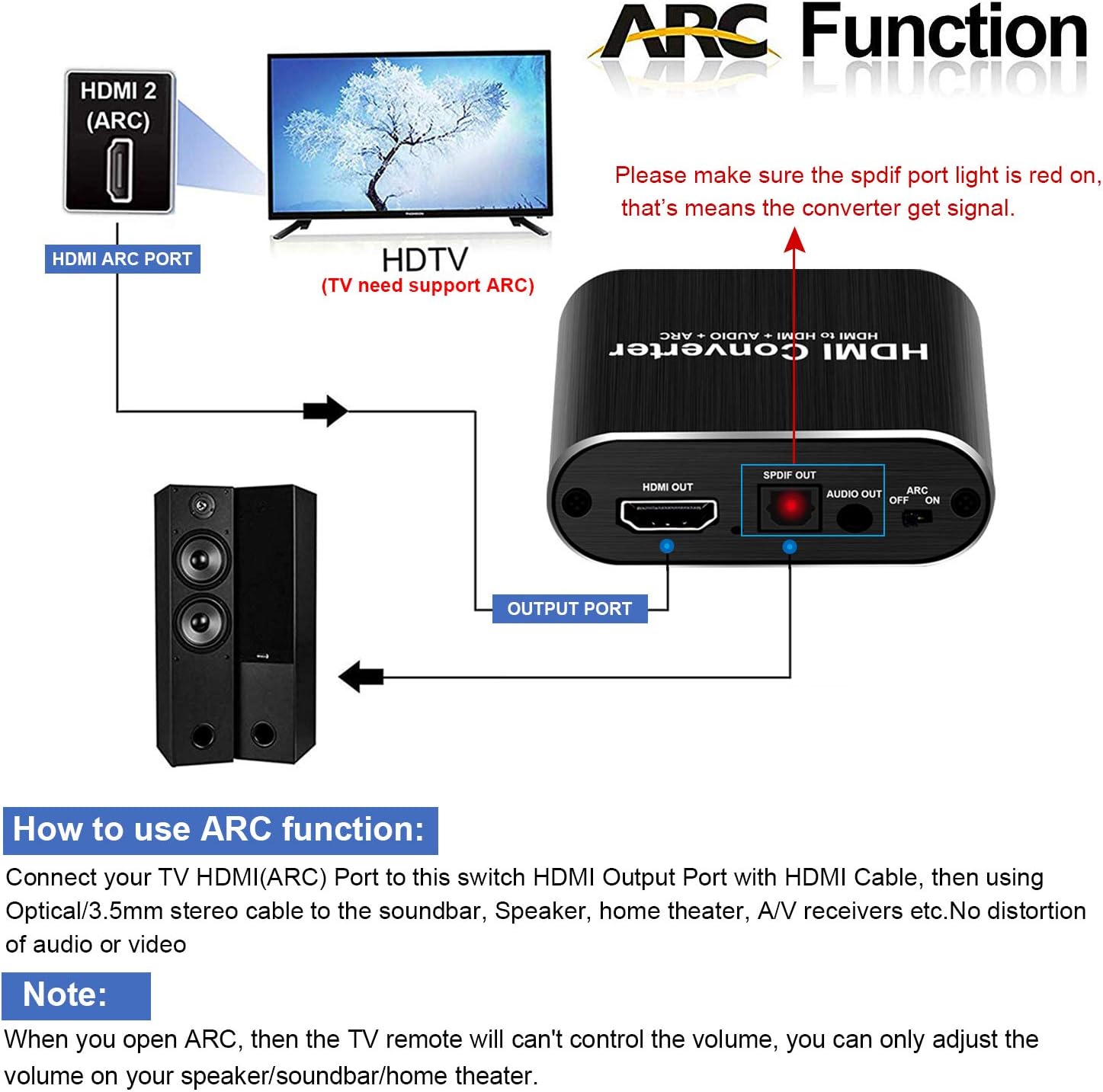
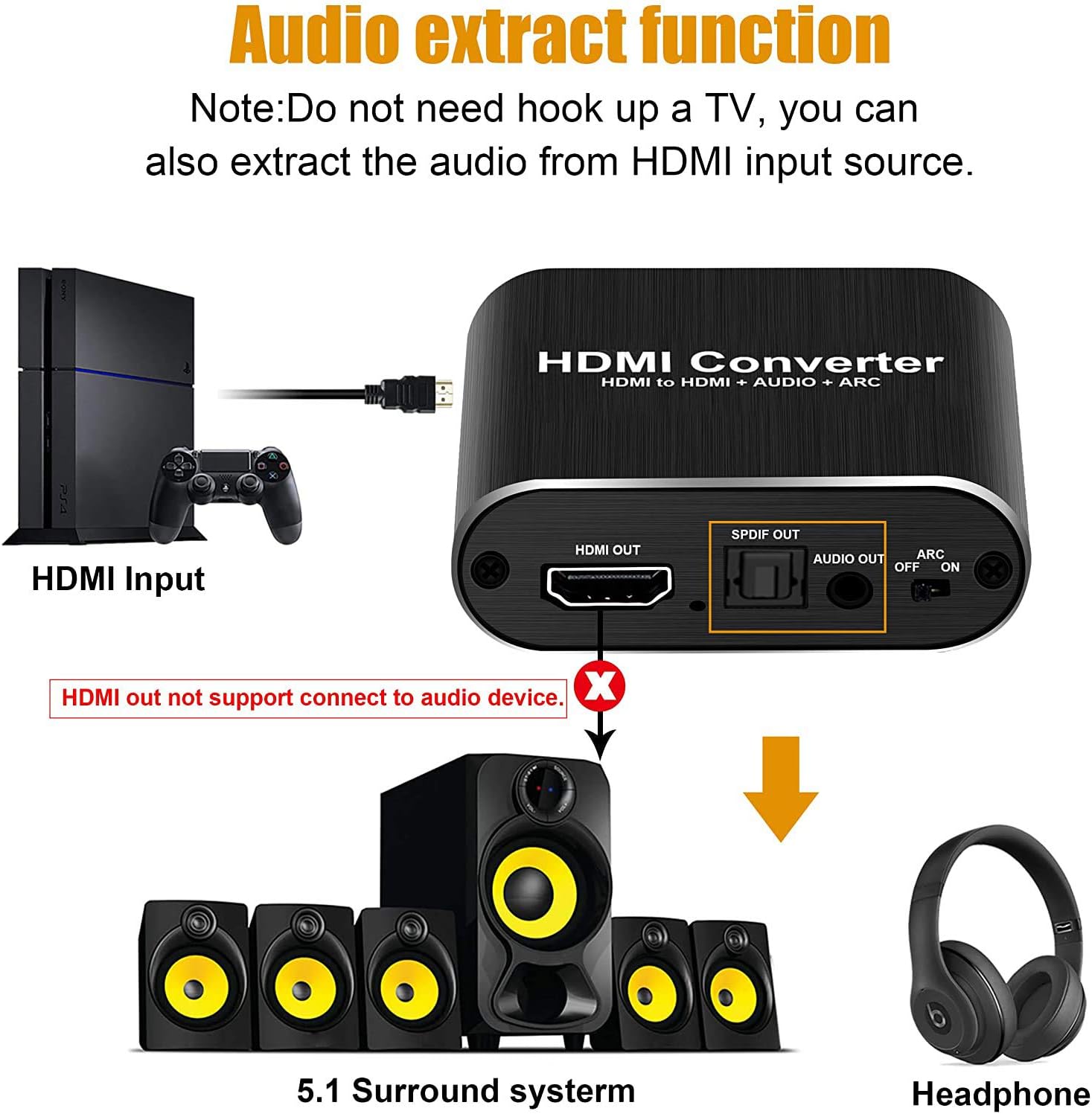
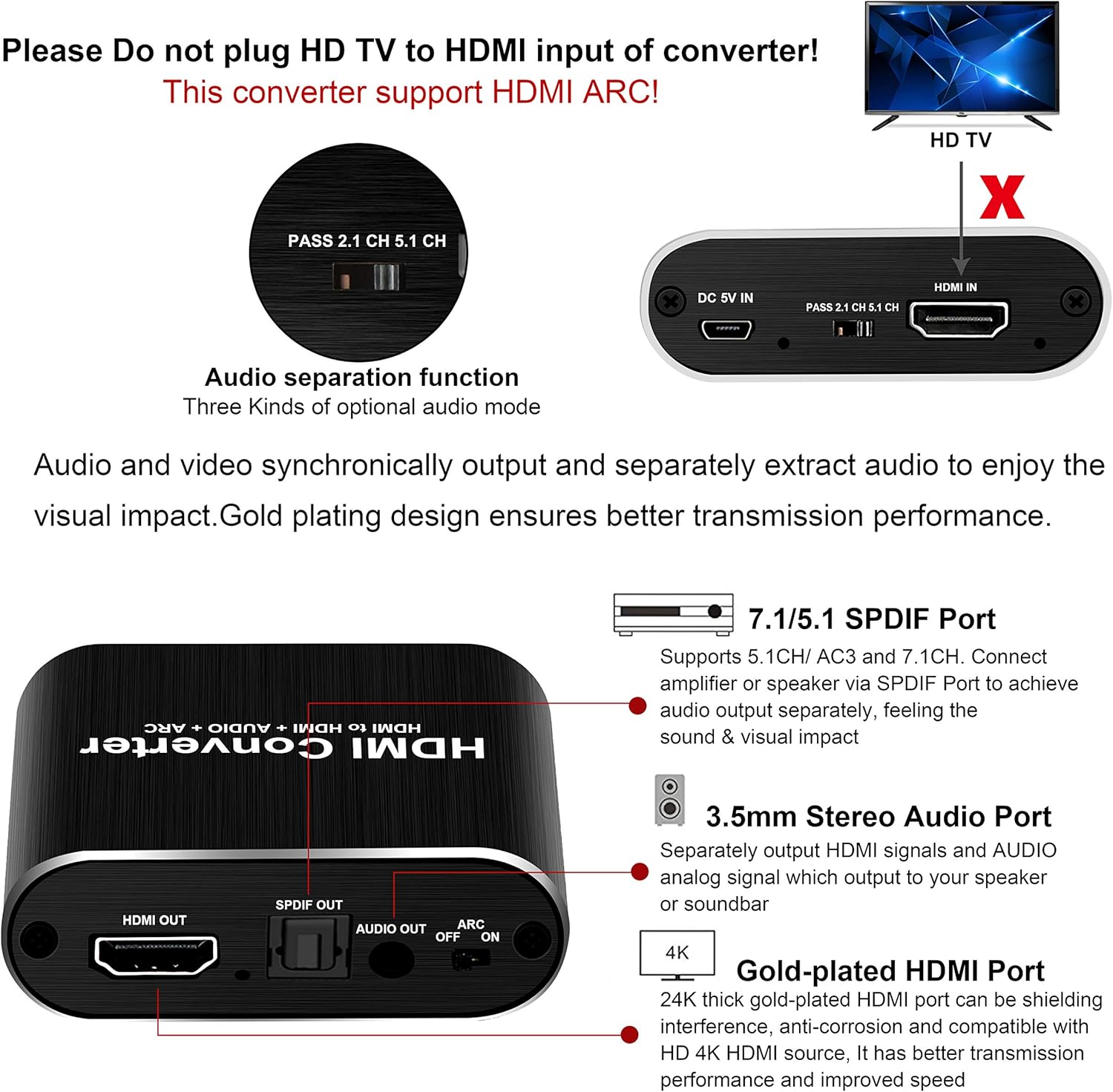
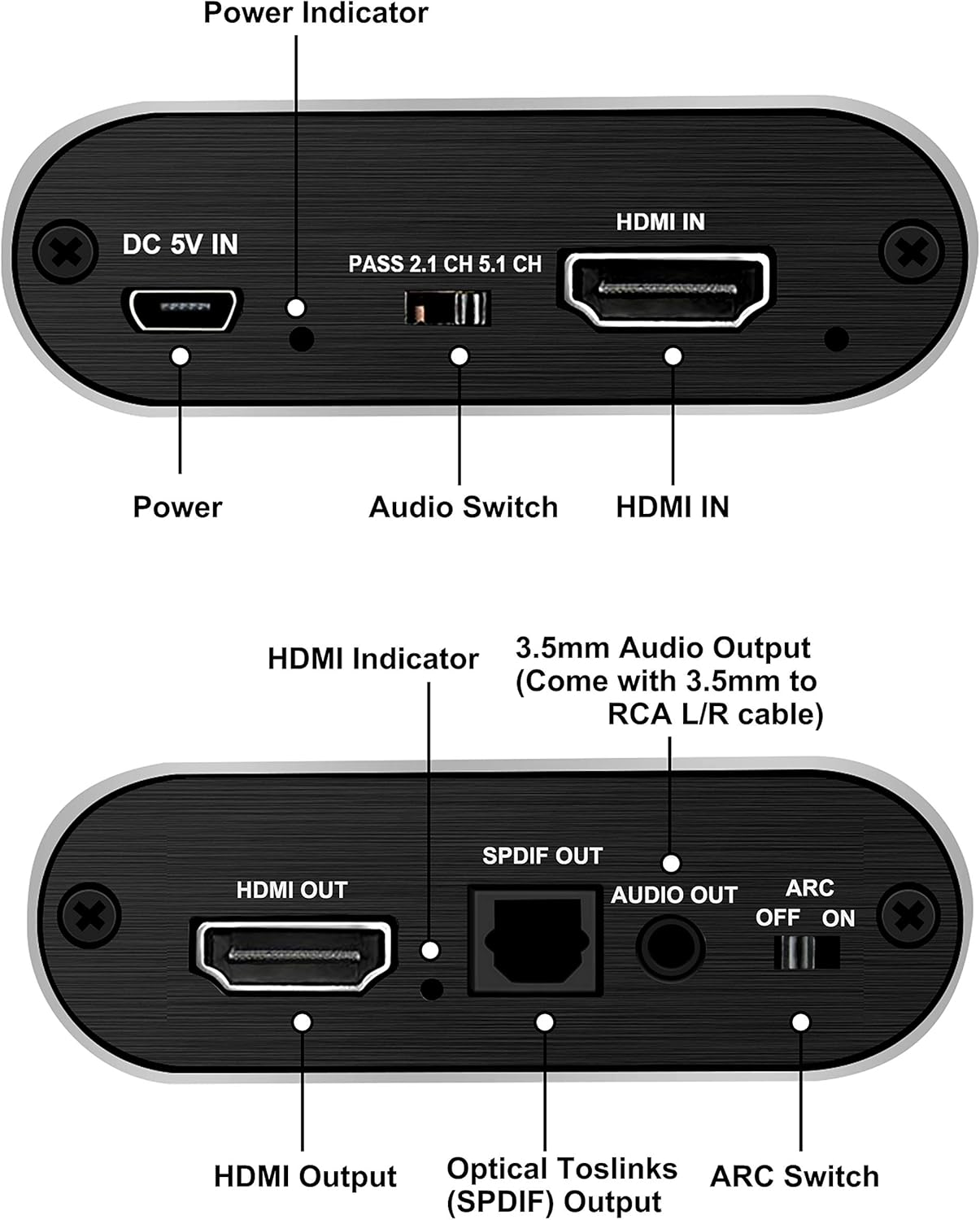
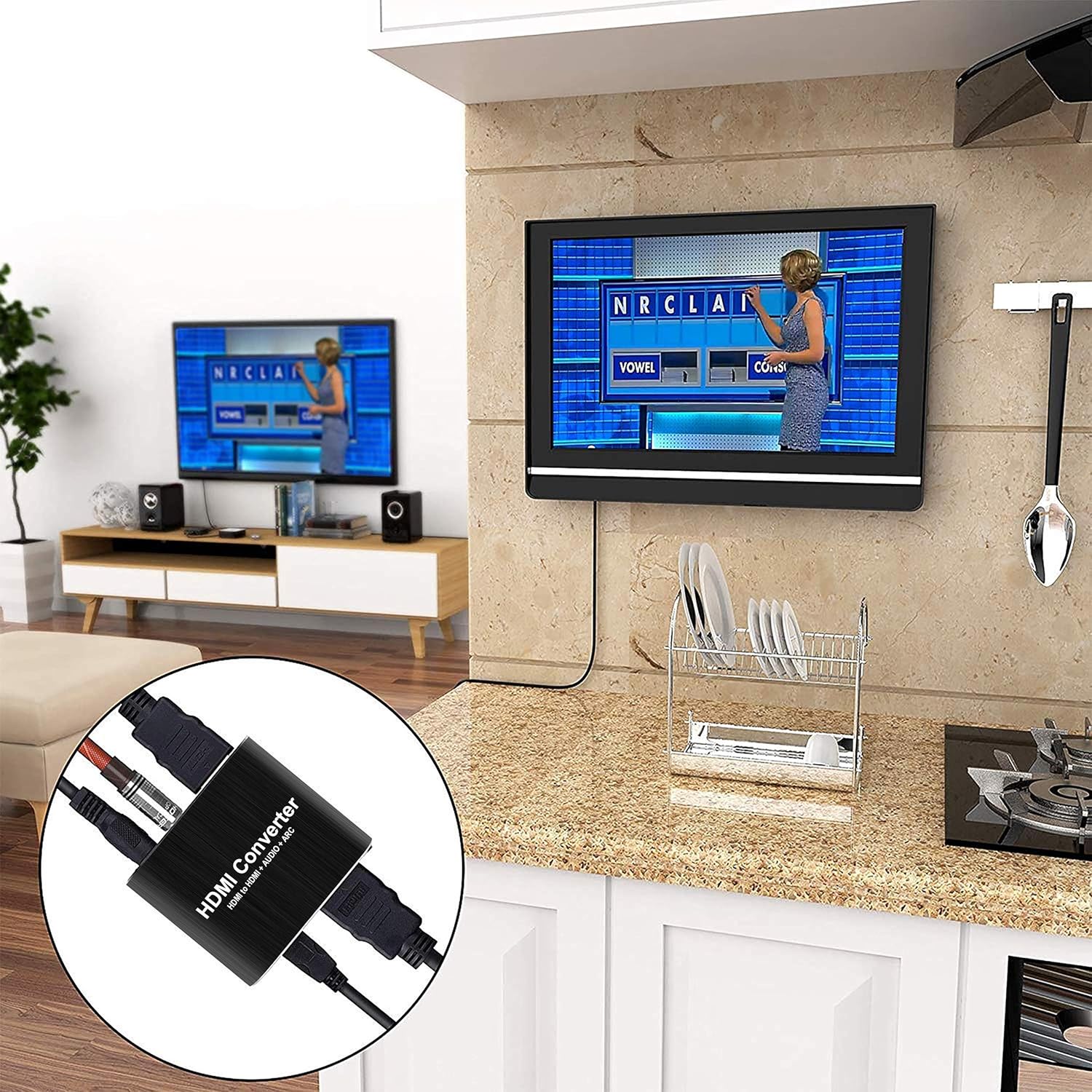
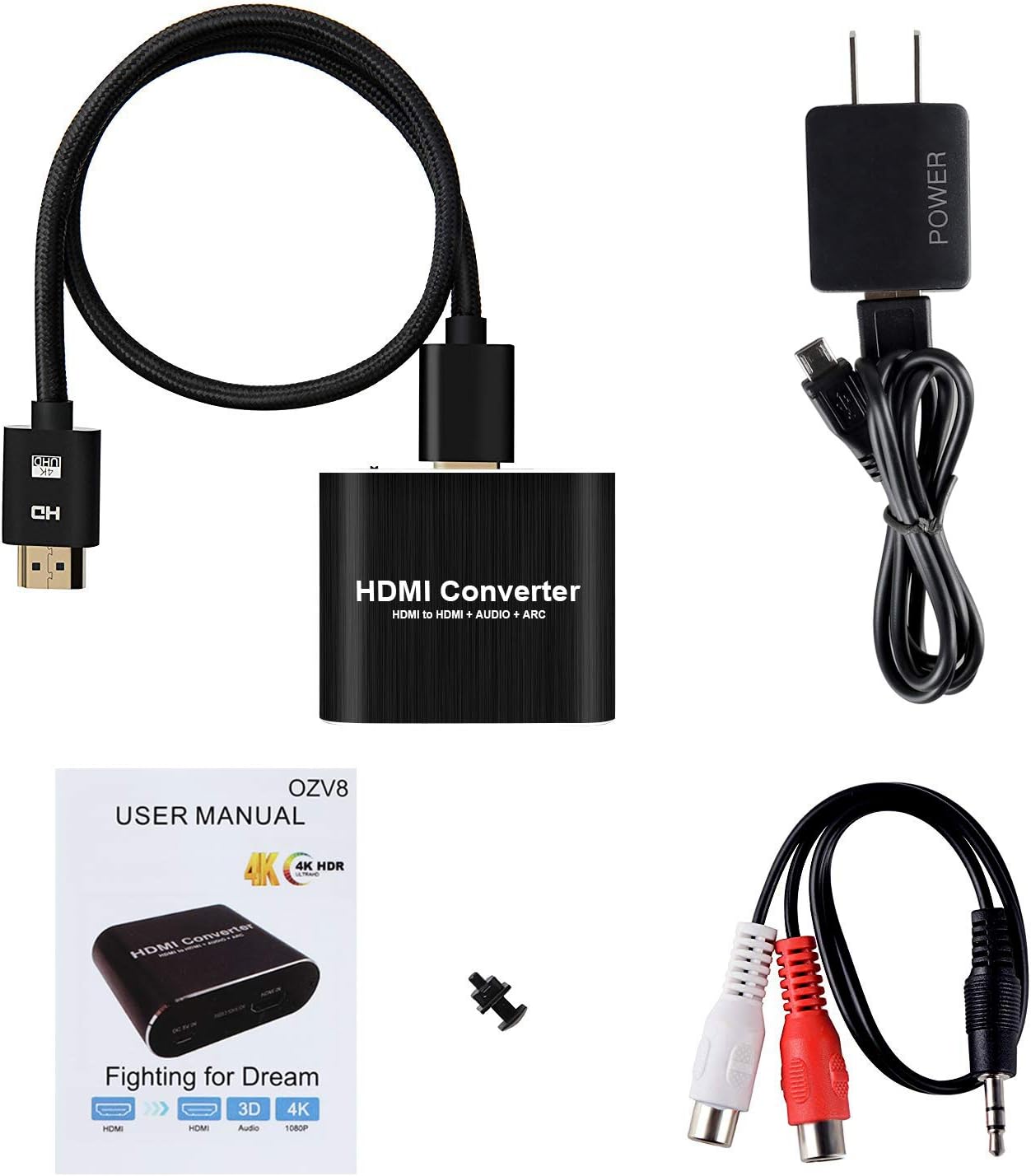
This 4K x 2K HDMI audio extractor supports ARC Function, you can listen to music in night or anytime without worring to disturb others. How to use: Connect your TV HDMI(ARC) Port to this switch HDMI Output Port with HDMI Cable, then using optical cable to the soundbar, Speaker, home theater, A/V receivers etc./3.5mm cable to the headphone. No distortion of audio or video. If you want to connect to audio equipment such as speakers through the digital SPDIF port, make sure that the digital SPDIF port lights up red to prove that the converter has a signal.Can be used normally Support up to 4K@60hz, HDCP 1.4, HDMI 1.4, 2CH PCM,5.1CH Dobly Digital,Dobly TrueHD,DTS-HD High speed bandwidth of 10.2 Gbps and stable transmission of high-definition video signals with smooth and undistorted picture quality. 1. Only video, no audio 1.1 The output device is a projector Generally, the projector only supports stereo, so the input source also needs to be set to stereo. It is recommended to dial the HDMI Audio Extractor to the PASS gear. 1.2 The output device is a display The display does not support the audio format of the playback, you need to set the input source to PCM format, and then dial the HDMI Audio Extractor to the 2.0 gear or PASS gear. 1.3 The input source is ROKU/Forestick/Blu-ray player/Amazon stick/PS3/PS4/Nintendo/Google stick/apple tv/xbox360/cable box: The input source is ROKU or Forestick: Roku and Forestick may be Dolby PULS, the audio format is 7.1, but this HDMI Audio Extractor does not support 7.1, it is recommended that customers set the audio format to stereo.It is also possible that ROKU requires HDCP to reach 2.2, and our products only support HDCP1.4, it is recommended to adjust the resolution to 1080P or automatic. The input source is Blu-ray/Nintendo: To change the input HDMI cable, you need 19+1 HDMI2.0 cable. In addition, the audio may not support the input source audio format. It is recommended to set the input source audio to stereo and HDMI Audio Extractor to the PASS gear. The input source is Amazon stick/Google stick: It is recommended to set the audio format to stereo or the best audio format, do not choose 7.1 The input source is PS3/PS4: It may be that the audio does not support the input source audio format. It is recommended that the audio output be set to HDMI output, and then set HDMI Audio Extractor to PCM format, and then HDMI Audio Extractor dial code to 2.0 gear or PASS gear. The input source is apple tv/xbox360/cable box: It may be that the resolution and HDCP are too high. It is recommended to lower the input source resolution and set the audio output to HDMI output. It may also be that the audio does not support the input source audio format. It is recommended to set the input source audio to stereo and HDMI Audio Extractor to the PASS gear. 2. There is audio, but there will be hissing sound The 3.5mm audio port only supports 2.0 channels, it is recommended to set the input source to PCM format, and then dial the device to the 2.0 position. Please use 19+1 HDMI2.0, AWG26 standard cable as much as possible, and set the input source to PCM format, and then dial this HDMI Audio Extractor to 2.0 gear to reduce the bandwidth. 3. Only audio, no video The input source resolution may be too high and the monitor does not support it. It is recommended to set the input source to 1080P resolution. 4. There is video but the video picture is abnormal (purple/stripe) It may be that the display format is incorrect. It is recommended to set the input source to RGB format instead of YUV format. Or reduce the input source resolution to 1080P 5. Customer complaints in ARC ARC connection is established with the TV, but there is no audio connected via ARC/HDMI, nor audio from analog output. First need your TV to support ARC, and turn on the ARC button on the device, then connect this HDMI Audio Extractor to the TV's ARC HDMI port. Second: Connect the ARC HDMI port of the TV and the HDMI OUT port of this HDMI Audio Extractor Third: You need to dial this HDMI Audio Extractor to 2.0 to get digital audio Overview: avedio links 4K x 2K HDMI audio extractor extracts the digital audio signal from the HDMI input and converts it to 2 channel analog stereo output or 5.1 channel Audio outputs. Simple solution for your amplifier / soundbar / 5.1 surround system / analog speaker that have no HDMI inputs, and compatible with various HDMI source devices that do not have dedicated audio output.How to use ARC function: Connect your TV HDMI(ARC) Port to our this switch HDMI Output Port with HDMI Cable, then using optical cable connect to the soundbar, Speaker, home theater, A/V receivers etc, No distortion of audio or video.Features: Input Port: 1 x HDMI IN, 1 x 5V Power Port, 3 x EDID Audio(Pass/2CH/5.1CH) Output Port: 1 x HDMI OUT, 1 x SPDIF (Optical), 1 x 3.5mm Jack HDMI resolution :4K@60Hz/1080P/1080i/720p/576p/576i/480p/480i Support video color format: 24bit/deep color 30bit,36bit Max bandwidth: 340MHz Max baud rate: 10.2Gbps Max working current: 350mA Note:The maximum support is 4K@60Hz Mirroring Mode More convenient to enjoying and sharing high-definition movie and projection speech while duplicate signals to two monitors, which makes you amazing vision. Extended Mode You can do both of surfing & be watching a movie at the same time, which solves multitasking demand.Package include: 1 X HDMI Audio Extractor 1 x HDMI cable 1 X 3.5mm to RCA Stereo Audio Cable 1 x 5V/1A Power Adapter 1 X User Manual
Product Overview
We Recommend