Nektar, 25-Key Midi Controller (Impact LX25+) : Musical Instruments
- Category: MIDI Controllers
- Store: Brand: Nektar
Share on:
Description
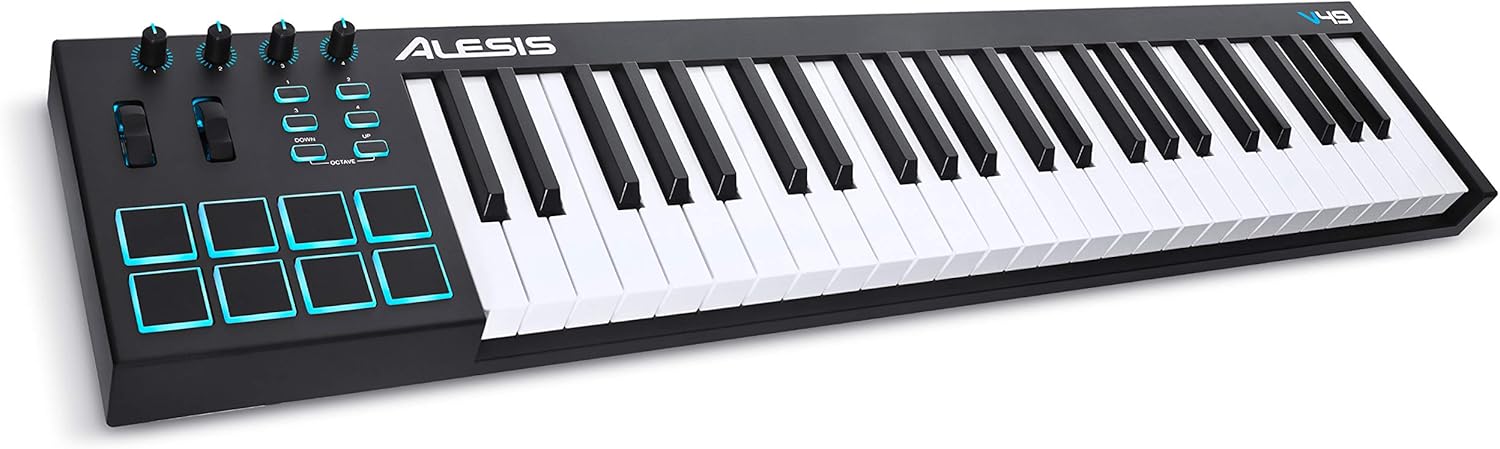
The Impact LX+ has a 25 note, full-size velocity sensitive keyboard and lets you choose between 4 velocity curves that cater for different playing styles including a soft and hard touch. Dynamic and expressive, it is calibrated for all styles of music. Dedicated buttons for octave and transpose buttons as well as pitch bend & modulation wheels are within reach, so you can quickly shift the keyboard or apply additional articulation as needed. Better still, the 4 buttons can be assigned to control additional functions such as Global MIDI channel, MIDI program or LX+ user preset select. Impact LX25+ features programmable real-time controls: 1x 30mm fader and 8x potentiometers. Each control is fully programmable to send unique MIDI messages and can be stored in any of the 5 user presets. So you can control up to 5 different devices and switch between them seamlessly, in addition to DAW integration. If you switch "Null" on, any parameter values are stored when you change presets so you avoid parameter jumping. Used with Nektar DAW integration, the control options increase substantially, providing flexible pre-mapped DAW control giving you the best of both worlds. The 8 pads are great to play. Dynamic and sensitive, they are ideally suited for finger drumming. Assign sounds or MIDI notes to the pads is quick and easy with Impact's unique “Pad Learn“ feature: Activate, just hit a pad to select, and press a key on the keyboard to assign the MIDI note. Done! You can save your setups in 4 Pad Maps for recall at any time. With Nektar DAW Integration active, the pads are automatically mapped in Reason or Bitwig for instance and provide a true drum machine feeling, including visual feedback using the pads' colors. Nektar DAW Integration takes Impact LX+ way beyond the functionality normally offered by USB MIDI controller keyboards: Give the mouse or trackpad a break and navigate projects, control the mixer or tweak plugins directly from Impact LX+. To help you make the most out of your screen real estate, LX+ also has shortcuts for opening and closing your DAW's mixer window. And the best is, that there is no complicated setup or programming: Our powerful pre-configured setups take care of mapping everything for you. DAW internal devices are pre-mapped, and factory maps for many popular 3rd party instrument plugins are also included. Simply install and start making music! DAW INTEGRATION SUPPORTS: Bitwig, Cubase, Digital Performer, FL Studio, GarageBand, Logic, Nuendo, Reason, Reaper, Sonar & Studio One. Navigate your projects: The 6 dedicated transport buttons are always within reach and mapped to control Cycle, Rewind, Forward, Stop, Play and Record. Dedicated Track up/down and Patch up/down buttons are located below the display. Press "Shift" to get access to alternate functions such as Goto L, Set L, Set R, Undo, Click and Mode (implementation details depend on the DAW). Press "Mixer" and the 8 Impact LX+ encoders are assigned to control 8 DAW mixer channels. The alternate Bank up/down function moves assignments to the next or previous group of 8 channels. Channel mute can be controlled holding "Mixer" and pressing one of the 8 pads. Pan for the selected group of 8 channels is handled by holding "Mixer" while turning the 8 pots. Fader 9 adjusts volume for the currently selected mixer channel as well as master volume. There are even shortcuts to open and close your DAW's mixer window from Impact LX+, so you can make the most out of your screen real estate and instantly see what's going on. In "Instrument" mode, you can control virtual instruments directly from the hardware. Nektar mapping takes care of assignments automatically. Many DAW devices and plugins are pre-mapped to match the screened blue control labels, so you can start tweaking right away. The knobs are assigned to typical oscillator and filter parameters, but when you hold "Instrument" while turning a pot, you can also tweak amp and filter ADSR envelopes. In many DAWs, the Page button gives access to a second page of knob assignments. Nektar "Grab" lets you assign parameters to controls instantly: Simply hold "Shift" while moving the instrument parameters you want to control, followed by moving the knob you want them assigned to. Done! Some DAWs even support saving grabbed parameters to a Nektar map for future use. The IMPACT LX25+ MIDI controller is compact and portable yet jam-packed with intelligent and expressive performance control. Ever wanted a controller that hooks up automatically to your DAW? IMPACT LX25+ does exactly that. Nektar DAW integration custom designed for Bigwig, Cubase, digital performer, fl studio, GarageBand, Logic, Nuendo, Reaper, reason, sonar and studio One takes IMPACT LX25+ way beyond functionality normally offered by a USB MIDI controller keyboard. With IMPACT LX25+ The hard work is done, so you can focus on your creativity. For groove and beat creation, IMPACT LX25+'s 8 velocity sensitive pads. Calibrated to trigger at a light touch, finger drumming is suddenly well within reach with a nice and even velocity response. The best part is the "pad learn“ feature, which allows you to just select a pad, play the note or drum sound you want on the keyboard and assignment is done.
Product Overview
We Recommend