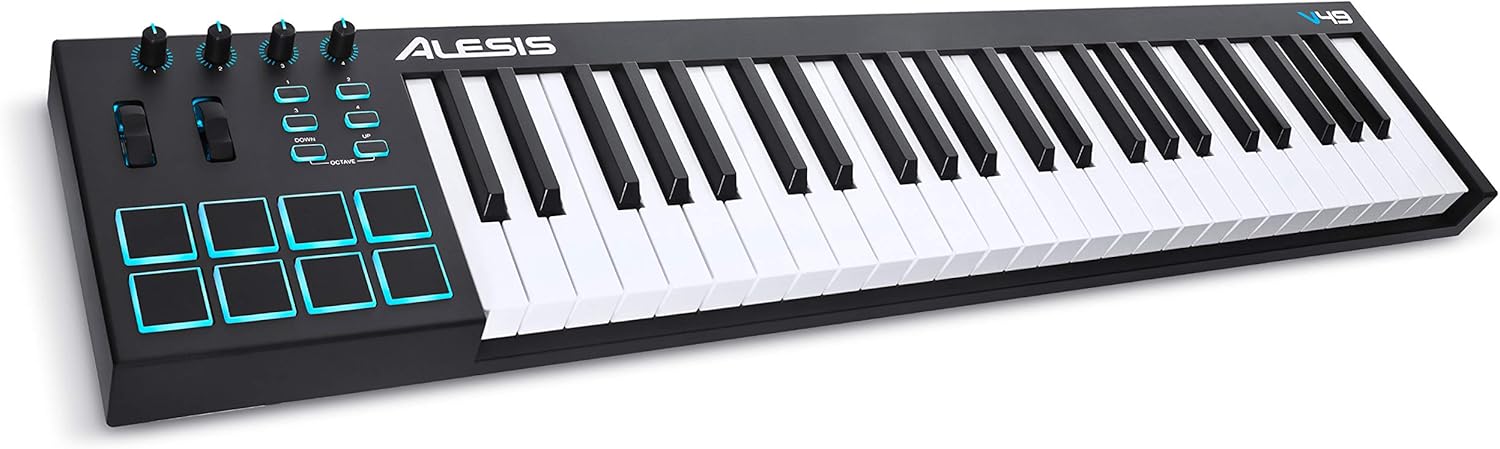
Nektar, 49-Key Midi Controller (Impact GX49) : Musical Instruments
- Category: MIDI Controllers
- Store: Brand: Nektar
Share on:
Description
With its 49 note, full-size velocity sensitive keyboard you are ready to make music in seconds. Plug in the included MIDI cable and your operating system, whether Windows, OSX or iOS, takes care of the rest. Choose between 4 velocity curves (+3 fixed) to adjust the keyboard to your playing style. Dynamic and expressive, the keybed is calibrated for all styles of music. Four dedicated LED buttons for octave and transpose let you quickly shift the keyboard up or down. The LEDs change colour to indicate the set interval or octave. Transpose can be reassigned to switch MIDI channels or send MIDI program changes. Offering just the right resistance, the pitch bend & modulation wheels are great for applying additional articulation to your playing. The Modulation Wheel is MIDI-assignable. Eight buttons and a large potentiometer are at the centre of the Impact GX. Used with Nektar DAW Integration, they will let you operate your DAW from Impact GX without reaching for the mouse. The buttons can also be assigned to MIDI messages for use with any MIDI software that's not supported by Nektar DAW integration. Using shift, each button can be assigned to two MIDI messages for a total of 14 programmable options. The potentiometer is pre-assigned to MIDI volume, but is also freely assignable. Compact design Dedicated transport controls Nektar DAW control for 11 DAWs Supports Windows, Mac OS X, Linux (Ubuntu) & Apple iOS (req. camera connection kit) Nektar DAW integration gives access to many of the functions you are most likely to need when recording and performing with your Impact GX. The best part is that it’s all done for you: Simply install the integration software for your DAW and start making music! The Buttons are labeled so you don’t have to remember how they are assigned. Supported DAWs: Bitwig, Cubase, Digital Performer, FL Studio, Garageband, Logic Pro, Nuendo, Reaper, Reason, Sonar, Studio One. Control Transport: The 6 dedicated transport buttons are always within reach and mapped to control Rewind, Forward, Cycle, Stop, Play and Record. In addition, a dedicated "Click" button gives direct access to the metronome. Navigate your projects: Press "Shift" to get access to alternate functions such as Track up/down, Patch up/down, Undo, Goto L and Goto R Open DAW Windows: "Shift" also turns lets you open and close DAW windows such as Mixer, PlugIn view or Browser. (Implementation details depend on the DAW). Produce and perform like a pro from day one with the included Bitwig 8-Track DAW. It comes with over 50 software instruments and effects for use on up to 8 audio or MIDI project tracks, and you can use any 3rd party VST plug-ins you might own, too. What's more, the included ‘Bitwig Essentials Package’ features a highly versatile handpicked selection of loops, clips and samples, to make it even easier to get you started. With Nektar DAW Integration you can control track selection and transport controls directly from the Impact GX49. If you are just starting out, you will find it’s the perfect way to take your first steps in the world of digital music creation. And if you’re already familiar with using computer software, you’ll be amazed at what this combination has to offer! The Impact GX49 and GX61 are dynamic and expressive instruments, tailored to composition & performance with your computer music system. The no-fuss interface is a great entry into the world of Nektar controllers. Dedicated transpose buttons allow you to shift the keyboard range Up to +/- 12 semi tones. The buttons can quickly be re-purposed to change the global MIDI channel or send program messages. Additionally an assignable potentiometer provides control over any MIDI parameter, by default controls mixer volume. Nektar DAW integration for many of the most commonly used DAWs makes it easy to get going, and a pleasure to use. With Impact GX49 your controller keyboard is part of your system, giving you the creative freedom to compose, perform and play, without having to reach for your mouse constantly.
Product Overview
We Recommend