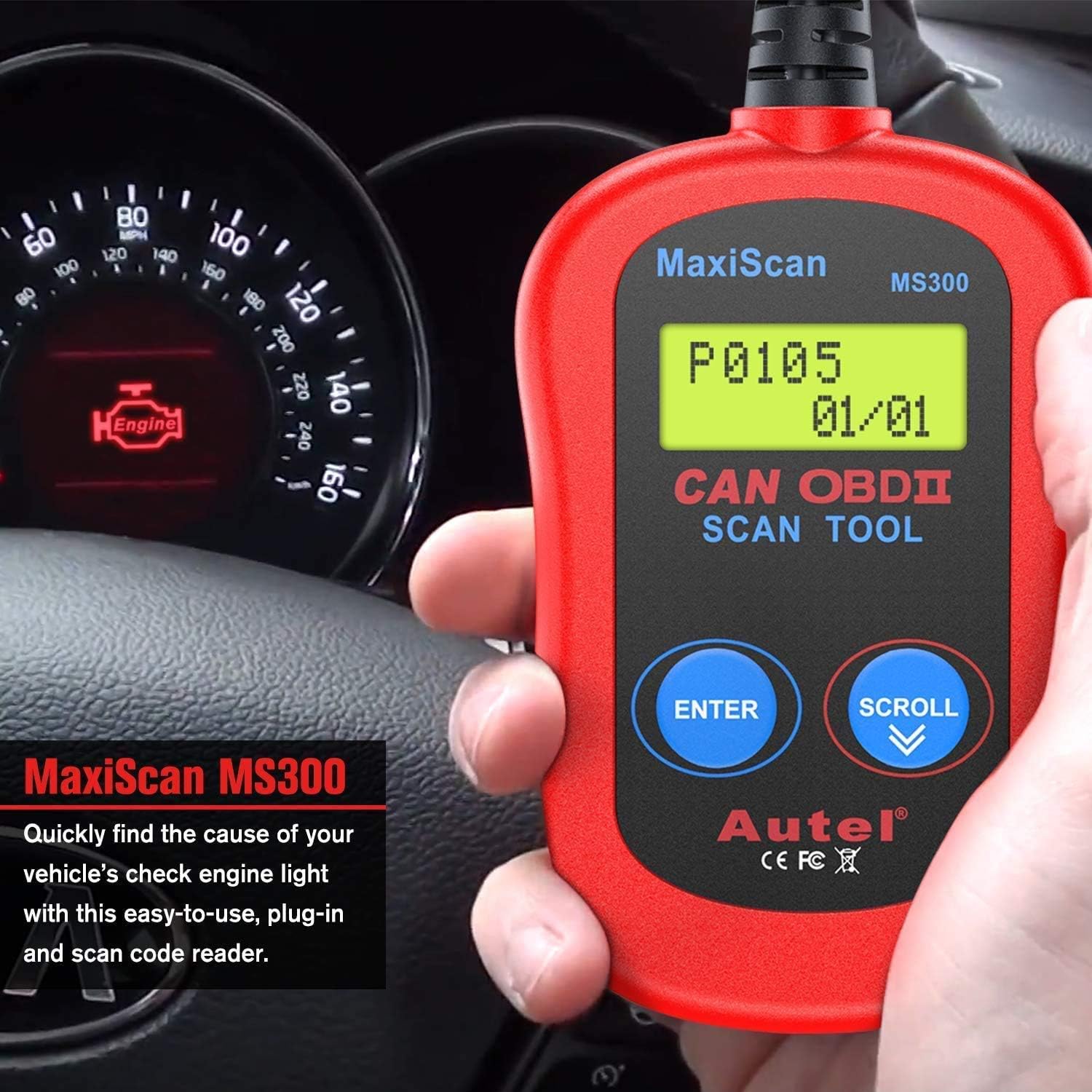

Autel MS300 Universal OBD2 Scanner Car Code Reader, Turn Off Check Engine Light, Read & Erase Fault Codes, Check Emission Monitor Status CAN Vehicles Diagnostic Scan Tool : Automotive
- Category: Code Readers & Scan Tools
- Store: Autel
Share on:
Description
Screen locked in "Linking" Issue Troubleshooting: Follow the correct order of operation: Step1: Turn engine off. Step 2: Plug in the scanner Step 3: Turn ignition on From MS300, MS309 code readers to MS908S Pro, MS Ultra, IM608 Pro, E-car charging pile etc. - Autel is Built for Automotive Diagnostics Autel is one of the world’s leading manufacturers of professional automotive diagnostic tools and accessories in the automotive aftermarket since 2004. Autel has been committed to creating maximum value to customer worldwide to satisfied various needs by providing quality-assured, user-friendly, and innovative products. Started from MS300 MS309 coder reader, Autel founder Mr. Li realized more and more comprehensive automotive diagnostic tools are needed to solve various car repair issues. Owning a team of more than 1,000 engineers, and tens of both online and local authorized distributors across the world, Autel is dedicated to develop premium vehicle aftermarket products. Autel is continously creating leading automotive aftermarket products, such as diagnostic tools, TPMS, IMMO, battery, e-car charging pile products & services. Turn off Check Engine Light Autel MaxiScan MS300 OBD2 scanner can access PCM module of OBD2 compliant vehicles and read and clear diagnostic trouble codes(DTCs), make sure your engine is in good condition, and turn off Check Engine Light when proper repair is done according to the DTC displayed on the back-lit screen. Read, Clear Diagnostic Trouble Codes (DTC) Autel MaxiScan MS300 OBD2 Scanner Code Reader can read and retrieve troubles codes Including generic codes, pending codes and manufacturer specific codes on most domestic vehicles(sedans, SUVs and light trucks) post 1996, Europe-based vehicles post 2002 and Asian Vehicles. Locked in "Linking" Troubleshooting: Follow the correct order: Step 1. Engine off- Step 2. Plug it in- Step 3. Turn ignition on "No menu other than read and clear codes" Troubleshooting After reading codes, it will display the codes or "DTC 00, I/M YES" on the screen. Then it will switch to Menu: 1. DTC automatically. Hit "Scroll" button to scroll down the menu. You shall find 2.ERASE, 3. I/M, 4. VIN, 5. RESCAN. If you have issue finding the menu, please let us know directly. Smog Check The MS300 Check Engine Code Reader retrieves I/M readiness status to help pass annual smog check. Comprehensive Vehicle Coverage Works with all 1996 and newer sedans, SUVs & light trucks that are OBDII compliant, support all OBD2 protocols including the CAN, VPW, PWM, ISO and KWP 2000 protocols. Note: MS300 Code Reader does NOT support JOBD, KOBD or any other protocols that are not OBDII. Retrieve VIN Number The View VIN function of MS300 OBD2 Code Reader allows you to retrieve the Vehicle Identification No. on 2002 and newer vehicles that support Mode 9. Easy to Use The MS300 OBD2 scanner comes with two-button design and back-lit 2-line LCD display, with integrated 16-pin OBDII plug, super easy to use and read. Please follow the correct order to use the scanner: 1. Turn engine off 2. Plug it into the DLC port of the vehicle. 3. Turn ignition on 4. Use the "enter" button to confirm and escape and the "scroll" button to scroll. Safe & Durable The built-to-last stand-alone OBDII scanner communicates with your vehicle in a safe way. With strong cable, it’s small but built to last. Package Includes: 1 X Autel MaxiScan MS300 Main Unit 1 X 16 PIN Standard OBD2 Cable Note: You can download the User Manual in PDF on Autel website or get one from us directly. Retrieve generic and manufacturer specific diagnostic trouble codes(DTC), clear codes and turn off check engine light. Follow the correct order to use the OBD2 scanner: Engine off- Plug it in- Turn ignition on.
Product Overview
We Recommend